Browse the best Shipping Lanes scripts updated for 2026, featuring completely free, keyless and mobile-friendly options.
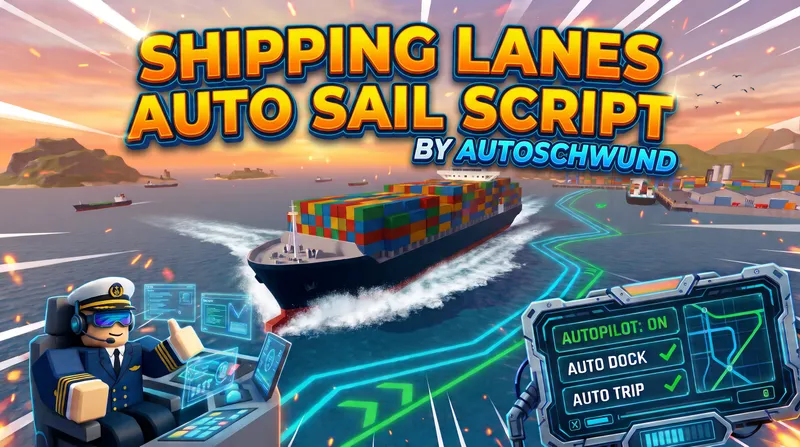
Autoschwund Shipping Lanes Autoschwund Shipping Lanes is an autopilot script for the Roblox Shipping Lanes game that drives, parks, and trades for you. Tested on Madium Executor. The Basics: Going to a Port Get in your ship and sit in the captain's seat (the script won't work if you aren't driving). Open the script menu. At the top of the window, use the `<` and `>` arrows to pick your destination. Go to the Status tab and click Start Auto Sail (or just press F7). The ship will now steer itself and avoid islands! Auto Docking (Parking, Fuel, and Cargo) Turn on Auto Dock by pressing F5 (or clicking it on the Status tab). When your ship reaches the destination, it will automatically park, repair, refuel, and trade your cargo. Make sure to check the Dock tab to ensure "Load/unload cargo" is turned on if you want it to trade. Auto Trip (Infinite Money Loops) Want the ship to go back and forth automatically? Go to the Trip tab. Pick your starting port (From) and ending port (Destination). You can also add a Transit stop just for gas and repairs. Go back to the Status tab and click Start Auto Trip. It will keep running this loop until you tell it to stop. Changing the Route Press M to open the game map and see the path your ship will take. If you want to change the path, go to the Sail tab and turn on Edit on map. Hover over the Route dots and Hold Ctrl on your keyboard, drag it to a new spot. Left click on route lines to add point/dots, Right click to remove. Handy Shortcuts & Tips F7: Start or pause driving. F5: Turn Auto Dock on or off. Ship parking weirdly? Go to the Misc tab and click Calibrate ship while sitting in open water. It takes about 3 minutes and teaches the script how your specific ship handles. Won't start? Make sure you are actually seated in the captain's chair, and that you have enough fuel for the trip.

Overview
HaxHell lists 1 Shipping Lanes scripts: 0 keyless, 0 with mobile support and 1 currently marked as working. The latest script was added or updated on November 12, 2026.
FAQ
Yes. All 1 Shipping Lanes scripts on HaxHell are free to copy and use.
Not right now. Every Shipping Lanes script currently listed uses a key system. New scripts are added daily, so check back soon.
None of the current Shipping Lanes scripts are marked as mobile-friendly yet. Check each script page for supported executors.
Open a script page, copy the loadstring, join Shipping Lanes on Roblox, paste the code into your executor and press execute. Each script page lists the executors it was tested with.
Using scripts breaks Roblox's Terms of Use and can get an account banned, so many players use an alt account. HaxHell lets the community report broken or harmful scripts, and patched scripts are labeled so you can avoid them.