local env = type(getgenv) == "function" and getgenv() or _G

env.SCRIPT_KEY = nil
env.SLICEHUB_REQUESTED_TIER = "FREE"

local DISCORD_INVITE = "https://discord.gg/Byx5SCnV7Q"
local BOOTSTRAP_URL =
    "https://slicebot-production.up.railway.app/api/bootstrap?v=" ..
    tostring(os.time())

local Players = game:GetService("Players")
local StarterGui = game:GetService("StarterGui")
local CoreGui = game:GetService("CoreGui")

local player = Players.LocalPlayer

local function notify(title, message)
    pcall(function()
        StarterGui:SetCore("SendNotification", {
            Title = title,
            Text = message,
            Duration = 5
        })
    end)
end

local function copyText(text)
    local clipboardFunction =
        (type(setclipboard) == "function" and setclipboard)
        or (type(toclipboard) == "function" and toclipboard)

    if clipboardFunction then
        clipboardFunction(text)
        return true
    end

    return false
end

local function getGuiParent()
    if type(gethui) == "function" then
        local success, result = pcall(gethui)

        if success and result then
            return result
        end
    end

    return CoreGui
end

local oldGui = getGuiParent():FindFirstChild("SliceHubPublicKeyGui")

if oldGui then
    oldGui:Destroy()
end

local screenGui = Instance.new("ScreenGui")
screenGui.Name = "SliceHubPublicKeyGui"
screenGui.ResetOnSpawn = false
screenGui.IgnoreGuiInset = true
screenGui.ZIndexBehavior = Enum.ZIndexBehavior.Sibling
screenGui.Parent = getGuiParent()

local background = Instance.new("Frame")
background.Name = "Background"
background.Size = UDim2.fromScale(1, 1)
background.BackgroundColor3 = Color3.fromRGB(7, 9, 14)
background.BackgroundTransparency = 0.25
background.BorderSizePixel = 0
background.Parent = screenGui

local main = Instance.new("Frame")
main.Name = "Main"
main.AnchorPoint = Vector2.new(0.5, 0.5)
main.Position = UDim2.fromScale(0.5, 0.5)
main.Size = UDim2.new(0.9, 0, 0, 330)
main.ClipsDescendants = true
main.BackgroundColor3 = Color3.fromRGB(16, 19, 28)
main.BorderSizePixel = 0
main.Parent = background

local sizeConstraint = Instance.new("UISizeConstraint")
sizeConstraint.MaxSize = Vector2.new(460, 330)
sizeConstraint.MinSize = Vector2.new(290, 310)
sizeConstraint.Parent = main

local corner = Instance.new("UICorner")
corner.CornerRadius = UDim.new(0, 14)
corner.Parent = main

local stroke = Instance.new("UIStroke")
stroke.Color = Color3.fromRGB(92, 112, 255)
stroke.Thickness = 1.5
stroke.Transparency = 0.15
stroke.Parent = main

local title = Instance.new("TextLabel")
title.BackgroundTransparency = 1
title.Position = UDim2.new(0, 22, 0, 20)
title.Size = UDim2.new(1, -44, 0, 34)
title.Font = Enum.Font.GothamBold
title.Text = "SLICEHUB"
title.TextColor3 = Color3.fromRGB(235, 238, 255)
title.TextSize = 25
title.TextXAlignment = Enum.TextXAlignment.Left
title.Parent = main

local subtitle = Instance.new("TextLabel")
subtitle.BackgroundTransparency = 1
subtitle.Position = UDim2.new(0, 22, 0, 58)
subtitle.Size = UDim2.new(1, -44, 0, 42)
subtitle.Font = Enum.Font.Gotham
subtitle.Text = "Enter your SliceHub license key to continue."
subtitle.TextColor3 = Color3.fromRGB(156, 163, 184)
subtitle.TextSize = 14
subtitle.TextWrapped = true
subtitle.TextXAlignment = Enum.TextXAlignment.Left
subtitle.TextYAlignment = Enum.TextYAlignment.Top
subtitle.Parent = main

local keyBox = Instance.new("TextBox")
keyBox.Position = UDim2.new(0, 22, 0, 115)
keyBox.Size = UDim2.new(1, -44, 0, 48)
keyBox.BackgroundColor3 = Color3.fromRGB(25, 29, 41)
keyBox.BorderSizePixel = 0
keyBox.ClearTextOnFocus = false
keyBox.Font = Enum.Font.Code
keyBox.PlaceholderText = "SLICE-XXXX-XXXX-XXXX"
keyBox.PlaceholderColor3 = Color3.fromRGB(100, 107, 127)
keyBox.Text = ""
keyBox.TextColor3 = Color3.fromRGB(235, 238, 255)
keyBox.TextSize = 14
keyBox.TextXAlignment = Enum.TextXAlignment.Left
keyBox.Parent = main

local keyPadding = Instance.new("UIPadding")
keyPadding.PaddingLeft = UDim.new(0, 14)
keyPadding.PaddingRight = UDim.new(0, 14)
keyPadding.Parent = keyBox

local keyCorner = Instance.new("UICorner")
keyCorner.CornerRadius = UDim.new(0, 9)
keyCorner.Parent = keyBox

local status = Instance.new("TextLabel")
status.BackgroundTransparency = 1
status.Position = UDim2.new(0, 22, 0, 170)
status.Size = UDim2.new(1, -44, 0, 25)
status.Font = Enum.Font.Gotham
status.Text = ""
status.TextColor3 = Color3.fromRGB(255, 105, 105)
status.TextSize = 13
status.TextXAlignment = Enum.TextXAlignment.Left
status.Parent = main

local loadButton = Instance.new("TextButton")
loadButton.Position = UDim2.new(0, 22, 0, 205)
loadButton.Size = UDim2.new(1, -44, 0, 47)
loadButton.BackgroundColor3 = Color3.fromRGB(92, 112, 255)
loadButton.BorderSizePixel = 0
loadButton.AutoButtonColor = true
loadButton.Font = Enum.Font.GothamBold
loadButton.Text = "Validate Key and Load"
loadButton.TextColor3 = Color3.fromRGB(255, 255, 255)
loadButton.TextSize = 14
loadButton.Parent = main

local loadCorner = Instance.new("UICorner")
loadCorner.CornerRadius = UDim.new(0, 9)
loadCorner.Parent = loadButton

local discordButton = Instance.new("TextButton")
discordButton.Position = UDim2.new(0, 22, 0, 263)
discordButton.Size = UDim2.new(1, -44, 0, 42)
discordButton.BackgroundColor3 = Color3.fromRGB(35, 39, 55)
discordButton.BorderSizePixel = 0
discordButton.AutoButtonColor = true
discordButton.Font = Enum.Font.GothamMedium
discordButton.Text = "Get a Key — Copy Discord Invite"
discordButton.TextColor3 = Color3.fromRGB(210, 215, 235)
discordButton.TextSize = 13
discordButton.Parent = main

local discordCorner = Instance.new("UICorner")
discordCorner.CornerRadius = UDim.new(0, 9)
discordCorner.Parent = discordButton

local loading = false

local function startSliceHub()
    if loading then
        return
    end

    local enteredKey = keyBox.Text
        :gsub("^%s+", "")
        :gsub("%s+$", "")

    if enteredKey == "" then
        status.Text = "Enter your SliceHub key first."
        return
    end

    loading = true
    status.TextColor3 = Color3.fromRGB(170, 180, 255)
    status.Text = "Contacting the SliceHub license server..."
    loadButton.Text = "Loading..."
    loadButton.Active = false

    env.SCRIPT_KEY = enteredKey
    env.SLICEHUB_REQUESTED_TIER = "FREE"

    local success, err = pcall(function()
        local source = game:HttpGet(BOOTSTRAP_URL, true)

        assert(
            type(source) == "string" and #source > 0,
            "The bootstrap server returned an empty response."
        )

        local compiled, compileError = loadstring(source)

        assert(
            compiled,
            compileError or "The bootstrap response could not be compiled."
        )

        compiled()
    end)

    if success then
        screenGui:Destroy()
        return
    end

    loading = false
    loadButton.Active = true
    loadButton.Text = "Validate Key and Load"
    status.TextColor3 = Color3.fromRGB(255, 105, 105)
    status.Text = "Unable to load. Check your key or try again."

    warn("[SliceHub Public Loader] " .. tostring(err))
end

loadButton.MouseButton1Click:Connect(startSliceHub)

keyBox.FocusLost:Connect(function(enterPressed)
    if enterPressed then
        startSliceHub()
    end
end)

discordButton.MouseButton1Click:Connect(function()
    local copied = copyText(DISCORD_INVITE)

    if copied then
        discordButton.Text = "Discord Invite Copied!"
        notify("SliceHub", "Discord invite copied to your clipboard.")
    else
        discordButton.Text = DISCORD_INVITE
        notify("SliceHub", "Copy the Discord link shown on the button.")
    end

    task.delay(4, function()
        if discordButton and discordButton.Parent then
            discordButton.Text = "Get a Key — Copy Discord Invite"
        end
    end)
end)SliceHub Attack on Titan Revolution
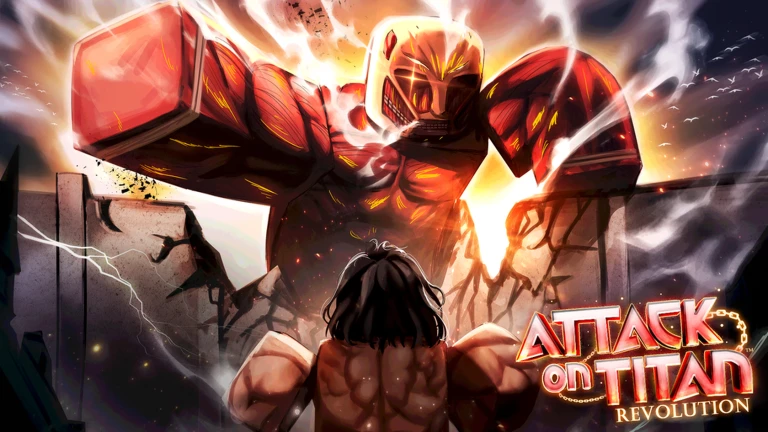
SliceHub is an advanced automation hub built for Attack on Titan Revolution, designed to make grinding, progression, and repetitive tasks faster and easier.
discord.gg/slicehub
Main Features
Automated Titan farming
Blade and spear support
Raid and mission automation
Auto Retry for continuous farming
Family Spinner assistance
Progression and upgrade tools
Free and Premium feature support
Mobile and PC friendly interface
Secure key system with HWID reset support
Regular updates, fixes, and improvements
How to Use
Copy and execute the SliceHub script.
Enter your valid key when prompted.
Choose the features you want from the hub.
Configure the available settings and start farming.
Some advanced features may require the Premium version. Join our Discord server for keys, support, announcements, update logs, and help with any issues.
Disclaimer: SliceHub is not affiliated with Roblox or the developers of Attack on Titan Revolution. Game updates may temporarily affect certain features.
If you have any problems join discord.
No comments yet. Be the first to comment!
1local env = type(getgenv) == "function" and getgenv() or _G
2
3env.SCRIPT_KEY = nil
4env.SLICEHUB_REQUESTED_TIER = "FREE"
5
6local DISCORD_INVITE = "https://discord.gg/Byx5SCnV7Q"
7local BOOTSTRAP_URL =
8    "https://slicebot-production.up.railway.app/api/bootstrap?v=" ..
9    tostring(os.time())
10
11local Players = game:GetService("Players")
12local StarterGui = game:GetService("StarterGui")
13local CoreGui = game:GetService("CoreGui")
14
15local player = Players.LocalPlayer
16
17local function notify(title, message)
18    pcall(function()
19        StarterGui:SetCore("SendNotification", {
20            Title = title,
21            Text = message,
22            Duration = 5
23        })
24    end)
25end
26
27local function copyText(text)
28    local clipboardFunction =
29        (type(setclipboard) == "function" and setclipboard)
30        or (type(toclipboard) == "function" and toclipboard)
31
32    if clipboardFunction then
33        clipboardFunction(text)
34        return true
35    end
36
37    return false
38end
39
40local function getGuiParent()
41    if type(gethui) == "function" then
42        local success, result = pcall(gethui)
43
44        if success and result then
45            return result
46        end
47    end
48
49    return CoreGui
50end
51
52local oldGui = getGuiParent():FindFirstChild("SliceHubPublicKeyGui")
53
54if oldGui then
55    oldGui:Destroy()
56end
57
58local screenGui = Instance.new("ScreenGui")
59screenGui.Name = "SliceHubPublicKeyGui"
60screenGui.ResetOnSpawn = false
61screenGui.IgnoreGuiInset = true
62screenGui.ZIndexBehavior = Enum.ZIndexBehavior.Sibling
63screenGui.Parent = getGuiParent()
64
65local background = Instance.new("Frame")
66background.Name = "Background"
67background.Size = UDim2.fromScale(1, 1)
68background.BackgroundColor3 = Color3.fromRGB(7, 9, 14)
69background.BackgroundTransparency = 0.25
70background.BorderSizePixel = 0
71background.Parent = screenGui
72
73local main = Instance.new("Frame")
74main.Name = "Main"
75main.AnchorPoint = Vector2.new(0.5, 0.5)
76main.Position = UDim2.fromScale(0.5, 0.5)
77main.Size = UDim2.new(0.9, 0, 0, 330)
78main.ClipsDescendants = true
79main.BackgroundColor3 = Color3.fromRGB(16, 19, 28)
80main.BorderSizePixel = 0
81main.Parent = background
82
83local sizeConstraint = Instance.new("UISizeConstraint")
84sizeConstraint.MaxSize = Vector2.new(460, 330)
85sizeConstraint.MinSize = Vector2.new(290, 310)
86sizeConstraint.Parent = main
87
88local corner = Instance.new("UICorner")
89corner.CornerRadius = UDim.new(0, 14)
90corner.Parent = main
91
92local stroke = Instance.new("UIStroke")
93stroke.Color = Color3.fromRGB(92, 112, 255)
94stroke.Thickness = 1.5
95stroke.Transparency = 0.15
96stroke.Parent = main
97
98local title = Instance.new("TextLabel")
99title.BackgroundTransparency = 1
100title.Position = UDim2.new(0, 22, 0, 20)
101title.Size = UDim2.new(1, -44, 0, 34)
102title.Font = Enum.Font.GothamBold
103title.Text = "SLICEHUB"
104title.TextColor3 = Color3.fromRGB(235, 238, 255)
105title.TextSize = 25
106title.TextXAlignment = Enum.TextXAlignment.Left
107title.Parent = main
108
109local subtitle = Instance.new("TextLabel")
110subtitle.BackgroundTransparency = 1
111subtitle.Position = UDim2.new(0, 22, 0, 58)
112subtitle.Size = UDim2.new(1, -44, 0, 42)
113subtitle.Font = Enum.Font.Gotham
114subtitle.Text = "Enter your SliceHub license key to continue."
115subtitle.TextColor3 = Color3.fromRGB(156, 163, 184)
116subtitle.TextSize = 14
117subtitle.TextWrapped = true
118subtitle.TextXAlignment = Enum.TextXAlignment.Left
119subtitle.TextYAlignment = Enum.TextYAlignment.Top
120subtitle.Parent = main
121
122local keyBox = Instance.new("TextBox")
123keyBox.Position = UDim2.new(0, 22, 0, 115)
124keyBox.Size = UDim2.new(1, -44, 0, 48)
125keyBox.BackgroundColor3 = Color3.fromRGB(25, 29, 41)
126keyBox.BorderSizePixel = 0
127keyBox.ClearTextOnFocus = false
128keyBox.Font = Enum.Font.Code
129keyBox.PlaceholderText = "SLICE-XXXX-XXXX-XXXX"
130keyBox.PlaceholderColor3 = Color3.fromRGB(100, 107, 127)
131keyBox.Text = ""
132keyBox.TextColor3 = Color3.fromRGB(235, 238, 255)
133keyBox.TextSize = 14
134keyBox.TextXAlignment = Enum.TextXAlignment.Left
135keyBox.Parent = main
136
137local keyPadding = Instance.new("UIPadding")
138keyPadding.PaddingLeft = UDim.new(0, 14)
139keyPadding.PaddingRight = UDim.new(0, 14)
140keyPadding.Parent = keyBox
141
142local keyCorner = Instance.new("UICorner")
143keyCorner.CornerRadius = UDim.new(0, 9)
144keyCorner.Parent = keyBox
145
146local status = Instance.new("TextLabel")
147status.BackgroundTransparency = 1
148status.Position = UDim2.new(0, 22, 0, 170)
149status.Size = UDim2.new(1, -44, 0, 25)
150status.Font = Enum.Font.Gotham
151status.Text = ""
152status.TextColor3 = Color3.fromRGB(255, 105, 105)
153status.TextSize = 13
154status.TextXAlignment = Enum.TextXAlignment.Left
155status.Parent = main
156
157local loadButton = Instance.new("TextButton")
158loadButton.Position = UDim2.new(0, 22, 0, 205)
159loadButton.Size = UDim2.new(1, -44, 0, 47)
160loadButton.BackgroundColor3 = Color3.fromRGB(92, 112, 255)
161loadButton.BorderSizePixel = 0
162loadButton.AutoButtonColor = true
163loadButton.Font = Enum.Font.GothamBold
164loadButton.Text = "Validate Key and Load"
165loadButton.TextColor3 = Color3.fromRGB(255, 255, 255)
166loadButton.TextSize = 14
167loadButton.Parent = main
168
169local loadCorner = Instance.new("UICorner")
170loadCorner.CornerRadius = UDim.new(0, 9)
171loadCorner.Parent = loadButton
172
173local discordButton = Instance.new("TextButton")
174discordButton.Position = UDim2.new(0, 22, 0, 263)
175discordButton.Size = UDim2.new(1, -44, 0, 42)
176discordButton.BackgroundColor3 = Color3.fromRGB(35, 39, 55)
177discordButton.BorderSizePixel = 0
178discordButton.AutoButtonColor = true
179discordButton.Font = Enum.Font.GothamMedium
180discordButton.Text = "Get a Key — Copy Discord Invite"
181discordButton.TextColor3 = Color3.fromRGB(210, 215, 235)
182discordButton.TextSize = 13
183discordButton.Parent = main
184
185local discordCorner = Instance.new("UICorner")
186discordCorner.CornerRadius = UDim.new(0, 9)
187discordCorner.Parent = discordButton
188
189local loading = false
190
191local function startSliceHub()
192    if loading then
193        return
194    end
195
196    local enteredKey = keyBox.Text
197        :gsub("^%s+", "")
198        :gsub("%s+$", "")
199
200    if enteredKey == "" then
201        status.Text = "Enter your SliceHub key first."
202        return
203    end
204
205    loading = true
206    status.TextColor3 = Color3.fromRGB(170, 180, 255)
207    status.Text = "Contacting the SliceHub license server..."
208    loadButton.Text = "Loading..."
209    loadButton.Active = false
210
211    env.SCRIPT_KEY = enteredKey
212    env.SLICEHUB_REQUESTED_TIER = "FREE"
213
214    local success, err = pcall(function()
215        local source = game:HttpGet(BOOTSTRAP_URL, true)
216
217        assert(
218            type(source) == "string" and #source > 0,
219            "The bootstrap server returned an empty response."
220        )
221
222        local compiled, compileError = loadstring(source)
223
224        assert(
225            compiled,
226            compileError or "The bootstrap response could not be compiled."
227        )
228
229        compiled()
230    end)
231
232    if success then
233        screenGui:Destroy()
234        return
235    end
236
237    loading = false
238    loadButton.Active = true
239    loadButton.Text = "Validate Key and Load"
240    status.TextColor3 = Color3.fromRGB(255, 105, 105)
241    status.Text = "Unable to load. Check your key or try again."
242
243    warn("[SliceHub Public Loader] " .. tostring(err))
244end
245
246loadButton.MouseButton1Click:Connect(startSliceHub)
247
248keyBox.FocusLost:Connect(function(enterPressed)
249    if enterPressed then
250        startSliceHub()
251    end
252end)
253
254discordButton.MouseButton1Click:Connect(function()
255    local copied = copyText(DISCORD_INVITE)
256
257    if copied then
258        discordButton.Text = "Discord Invite Copied!"
259        notify("SliceHub", "Discord invite copied to your clipboard.")
260    else
261        discordButton.Text = DISCORD_INVITE
262        notify("SliceHub", "Copy the Discord link shown on the button.")
263    end
264
265    task.delay(4, function()
266        if discordButton and discordButton.Parent then
267            discordButton.Text = "Get a Key — Copy Discord Invite"
268        end
269    end)
270end)