![[🧤] Defusal](https://tr.rbxcdn.com/180DAY-e6f84513650e3850c23fff8a468d18fb/512/512/Image/Webp/noFilter)
Browse the best [🧤] Defusal scripts updated for 2026, featuring completely free, keyless and mobile-friendly options.
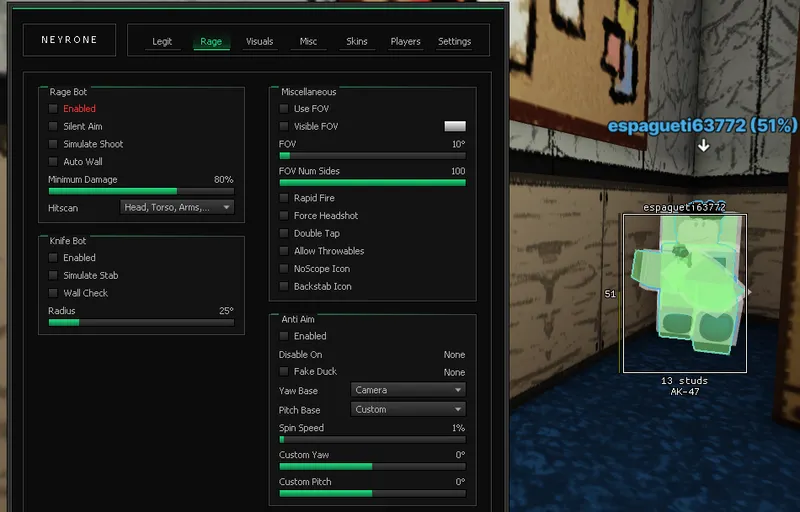
[Fully tested on Swift, Velocity, Vulcano, Potassium] Because of obfuscation, there is a fps drops: for example, with auto wall enabled your fps can go from 240 to 100. (Without obf I've got 240 fps) I recommend to hvh on servers with small players count Your exploit should have this functions to use the script at its maximum: hookmetamethod, require, getsenv, mousemoverel (You can still use the script if you don't have any of these functions, but some script functions will not be available) Every feature has its own tooltip The menu is resizable Features: Legit Bot (Silent Aim, Aimbot), Rage Bot (Gun Bot, Knife Bot, Anti Aim), Visuals (ESP, World, Weapon, Viewmodel, Third Person), Misc (Movement, Exploits, Gun Mods, Throwables), Skins (Skin Changer, Knife Changer, Glove Changer)
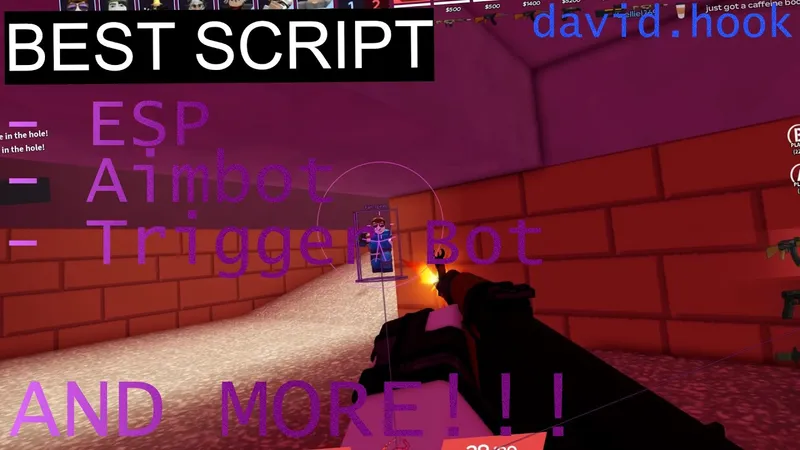
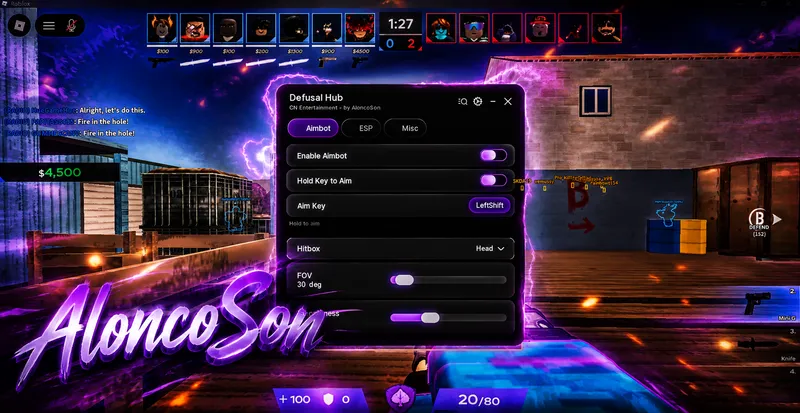
Aimbot, ESP, Trigger bot, Mobile Support and other functions For mobile support change device in settings tab to Phone For change button position enable drag and move it to scale just change scale Also join discord server if u have any problems and open support ticket (or suggest games for next scripts, public ur config)

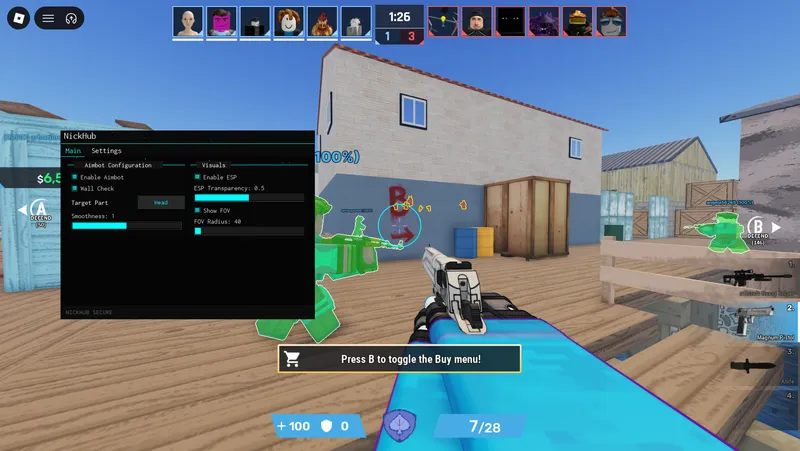
Defusal | Roblox Script Nickhub ⚡Features: Right-Click Toggle: Hold Right Mouse Button to activate the aimlock. Target Selection: Choose between Head or Body lock. Adjustable Aimbot Strength Esp Team and Enemy Check Targeting Modes: Crosshair: Locks onto enemies inside your FOV/Crosshair. Wall Check ; cant lock enemy trhough Wall Fully customizable FOV Circle. ⚠ Performance Note: While the script is optimized, enabling it in games with too many entities/NPCs might cause slight lag on lower-end PCs. 🛠 Support & Requests: Does the script not work on a specific game? Let me know! I can fix it or make a custom config.

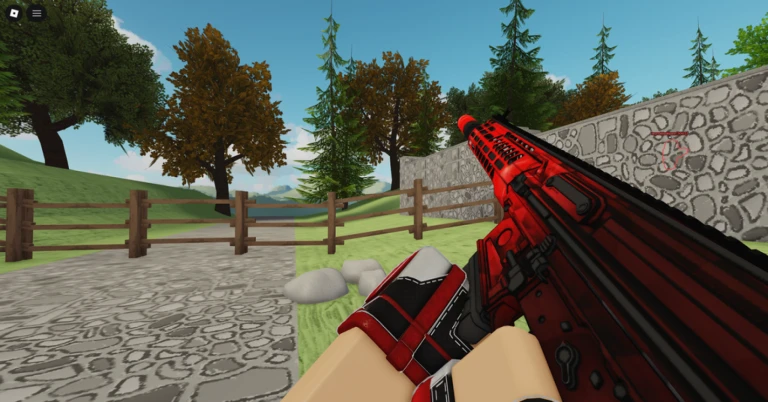
[+] Enable Aimbot [+] Hold Mode [+] Team Check (Enemies Only) [+] Aimbot Key [+] Target Part (Head, UpperTorso, HumanoidRootPart, LowerTorso) [+] FOV Range (20-500) [+] Smoothness (1-20) [+] Visible Enemies Only [+] Show FOV Circle [+] FOV Color [+] Enable Aimlock [+] Team Check Aimlock (Enemies Only) [+] Aimlock Keybind [+] Aimlock Type (Nearest Player, Nearest Mouse) [+] Aimlock Target Part (Head, Torso, Feet) [+] Smooth Aimlock [+] Smooth Alpha (100-1000) [+] Wall Check [+] Aimlock FOV Enable [+] Aimlock Show FOV Circle [+] Aimlock FOV Size (20-500) [+] Aimlock FOV Color [+] Enable ESP [+] Skeleton [+] ESP Team Check (Enemies Only) [+] Skeleton Thickness (1-5) [+] Skeleton Transparency (0-1) [+] Crouch Detection [+] Crouch Threshold (0.5-5) [+] Skeleton Color [+] Crouch Color [+] Enable Boxes [+] Box Thickness (1-5) [+] Filled Boxes [+] Fill Transparency (0-1) [+] Box Color [+] Fill Color [+] Enable Chams (Enemies Only) [+] Red Dot Crosshair [+] Show Names [+] Name Size (10-24) [+] Name Color [+] Show Distance [+] Distance Size (8-20) [+] Distance Color [+] Show Health Bar [+] High Health Color [+] Low Health Color [+] Show Tracers [+] Tracer Origin (Bottom, Middle, Top, Mouse) [+] Tracer Thickness (1-5) [+] Tracer Transparency (0-1) [+] Tracer Color [+] Enable Fly [+] Fly Speed (10-200) [+] Enable Speed [+] Walk Speed (1-50) [+] Debug Team Check [+] Reload All Players [+] Clear All ESP [+] Unload Script (Double Click) [+] Menu Keybind (K)

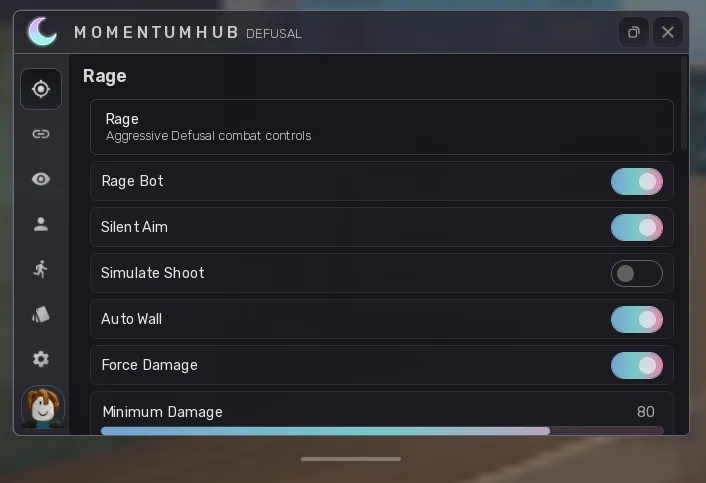
MomentumHub is an all-in-one Defusal combat and visual enhancement suite. After launching, the script provides separate Rage, Legit, and Visuals sections with configurable options. Rage includes Rage Bot, Silent Aim, simulated shooting, Auto Wall, damage controls, hitscan selection, Rapid Fire, Force Head, Double Tap, No Scope, Backstab, throwable support, FOV settings, Knife Bot, wall checks, and Anti Aim with Yaw, Pitch, Spin Speed, Fake Duck, and related controls. Legit provides Silent Aim, Aim Assist, FOV controls, target-part selection, activation options, aim types, speed settings, hit chance, and Trigger Bot with configurable delay and keybind. Visuals includes Enemy ESP with boxes, box type, player names, weapons, distance, health bars, health numbers, Chams, customizable text size and font, plus throwable ESP, throwable names, throwable Chams, ambient controls, No Smoke, and Time Changer. The interface is organized into dedicated sections so individual features can be enabled or disabled and configured without changing the rest of the script.

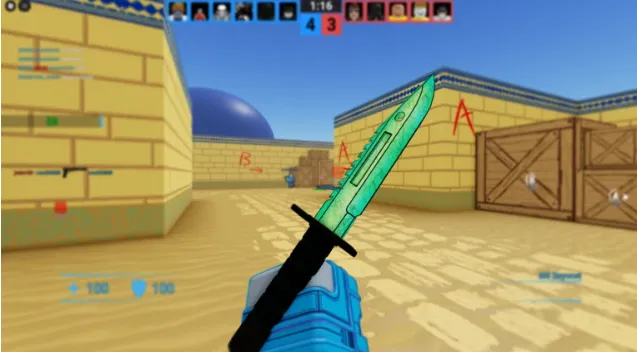
Features : Silent Aim (+ Wallbang) Aimbot Auto Shoot Anti-Aim Hitbox Expander No Recoil No Spread Triggerbot Hit Sounds Rapid Fire Multi Hit Instant Reload ESP Boxes Gradient Boxes Dynamic Boxes ESP Names Health Bar Armor ESP Distance ESP Weapon ESP Gun Chams Arm Chams Bullet Tracers Weapon Skin Changer Knife Skin Changer Auto Plant Auto Defuse Anti-AFK Bunnyhop Air Strafe Noclip Speed Hover Glide Disable Clips Weather Fullbright Night Mode Custom Ambient Time of Day Third Person

Overview
HaxHell lists 12 [🧤] Defusal scripts: 9 keyless, 6 with mobile support and 12 currently marked as working. The latest script was added or updated on October 13, 2026.
FAQ
Yes. All 12 [🧤] Defusal scripts on HaxHell are free to copy and use.
Yes. 9 [🧤] Defusal scripts run without a key system. Use the "No Key" filter to see only keyless scripts.
6 [🧤] Defusal scripts are marked as mobile-friendly and work with Android and iOS executors. Use the "Mobile Support" filter to find them.
Open a script page, copy the loadstring, join [🧤] Defusal on Roblox, paste the code into your executor and press execute. Each script page lists the executors it was tested with.
Using scripts breaks Roblox's Terms of Use and can get an account banned, so many players use an alt account. HaxHell lets the community report broken or harmful scripts, and patched scripts are labeled so you can avoid them.

![[🧤] Defusal Script Keyless](https://cdn.haxhell.com/thumbnails/_defusal_script_keyless_1776708774804.webp)



![LOW OCTANE [TEST]](https://tr.rbxcdn.com/180DAY-38ee263cbd596d8cbc44a94b047994dd/768/432/Image/Webp/noFilter)
![[FPS]Red Dead: DUELS [Space Transfer]](https://tr.rbxcdn.com/180DAY-356d91160c9f601d1eca355d93109e71/768/432/Image/Webp/noFilter)
![[KNIVES] Deagle Duels](https://tr.rbxcdn.com/180DAY-87176343762aee84656f483fda5ae4d0/768/432/Image/Webp/noFilter)