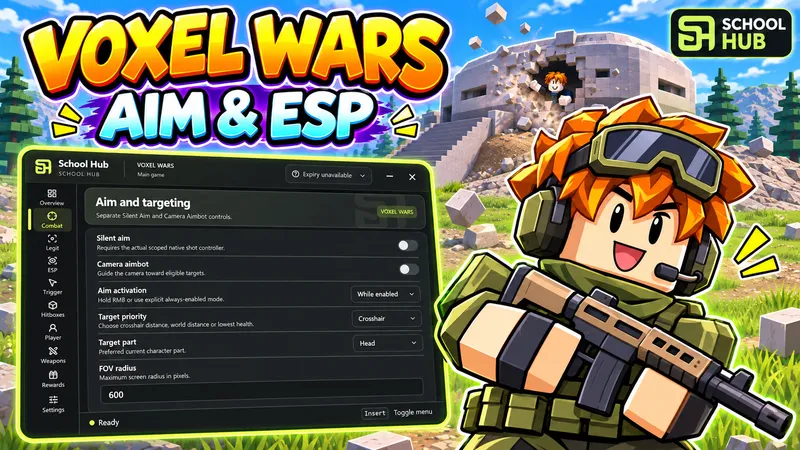
loadstring(game:HttpGet("https://raw.githubusercontent.com/suzukir987/School-Hub/main/loader.lua"))()School Hub for Voxel Wars combines aiming, visual overlays and player controls in one shared menu.
Silent Aim, Camera Aimbot and Legit Aim have separate controls. Adjust FOV, target distance, crosshair/nearest/lowest-health priority, target part, prediction and smoothing. Choose hold-RMB or enabled activation. Trigger Bot includes FOV, delay and firing interval settings. Team, spawn protection and visibility filters help choose suitable targets.
Player and bot ESP includes boxes, skeletons, names, health, distance, equipped weapon text and highlights. Adjust distance, update interval, text size, line width and fill opacity. Use visibility filters and colors for allies, protected targets and clear shots.
Local hitboxes have part, size, transparency and distance settings. Player speed is adjustable. Auto Reload, Auto Scope, recoil and spread controls are available separately. Claim ready daily and completed-quest rewards through the available free claim buttons.
The shared School Hub interface includes 10 pages, 10 languages, themes, menu scaling, Desktop/Phone layouts, Pause and saved preferences. Menu visibility is fixed across the lobby, combat and respawns. Expanding the menu releases the cursor; hiding it restores game controls. Activities start disabled after a fresh launch.
Run the loader in Voxel Wars, complete the free key check and enable the features you want.
1loadstring(game:HttpGet("https://raw.githubusercontent.com/suzukir987/School-Hub/main/loader.lua"))()No comments yet. Be the first to comment!