-- LocalScript
local Players = game:GetService("Players")
local player = Players.LocalPlayer
local playerGui = player:WaitForChild("PlayerGui")
local TweenService = game:GetService("TweenService")
local UIS = game:GetService("UserInputService")
local RS = game:GetService("RunService")
task.wait(3)
local winPart = workspace:WaitForChild("WINSYSTEMMMM"):WaitForChild("WinSystem"):WaitForChild("WParts"):WaitForChild("WinPart")
-- =====================
-- SPACE UI
-- =====================
local screenGui = Instance.new("ScreenGui")
screenGui.Name = "AutoWinUI"
screenGui.ResetOnSpawn = false
screenGui.Parent = playerGui
local bgFrame = Instance.new("Frame")
bgFrame.Size = UDim2.new(0, 280, 0, 200)
bgFrame.Position = UDim2.new(0.5, -140, 0.5, -100)
bgFrame.BackgroundColor3 = Color3.fromRGB(2, 2, 15)
bgFrame.BorderSizePixel = 0
bgFrame.Active = true
bgFrame.Draggable = true
bgFrame.ClipsDescendants = true
bgFrame.Parent = screenGui
local bgCorner = Instance.new("UICorner")
bgCorner.CornerRadius = UDim.new(0, 14)
bgCorner.Parent = bgFrame
local bgStroke = Instance.new("UIStroke")
bgStroke.Color = Color3.fromRGB(80, 120, 255)
bgStroke.Thickness = 1.5
bgStroke.Parent = bgFrame
-- Stars
math.randomseed(42)
for i = 1, 60 do
local star = Instance.new("Frame")
local size = math.random(1, 3)
star.Size = UDim2.new(0, size, 0, size)
star.Position = UDim2.new(math.random(), 0, math.random(), 0)
star.BackgroundColor3 = Color3.fromRGB(255, 255, 255)
star.BackgroundTransparency = math.random(0, 6) / 10
star.BorderSizePixel = 0
star.Parent = bgFrame
Instance.new("UICorner", star).CornerRadius = UDim.new(1, 0)
task.spawn(function()
while star.Parent do
TweenService:Create(star, TweenInfo.new(math.random(10, 30)/10), {
BackgroundTransparency = math.random(0, 8)/10
}):Play()
task.wait(math.random(10, 30)/10)
end
end)
end
-- Nebula
local nebula1 = Instance.new("Frame")
nebula1.Size = UDim2.new(0, 150, 0, 150)
nebula1.Position = UDim2.new(0, -30, 0, -30)
nebula1.BackgroundColor3 = Color3.fromRGB(40, 0, 80)
nebula1.BackgroundTransparency = 0.7
nebula1.BorderSizePixel = 0
nebula1.ZIndex = 0
nebula1.Parent = bgFrame
Instance.new("UICorner", nebula1).CornerRadius = UDim.new(1, 0)
local nebula2 = Instance.new("Frame")
nebula2.Size = UDim2.new(0, 120, 0, 120)
nebula2.Position = UDim2.new(1, -90, 1, -90)
nebula2.BackgroundColor3 = Color3.fromRGB(0, 30, 80)
nebula2.BackgroundTransparency = 0.7
nebula2.BorderSizePixel = 0
nebula2.ZIndex = 0
nebula2.Parent = bgFrame
Instance.new("UICorner", nebula2).CornerRadius = UDim.new(1, 0)
-- Shooting stars
task.spawn(function()
while bgFrame.Parent do
task.wait(math.random(2, 5))
local ss = Instance.new("Frame")
ss.Size = UDim2.new(0, 40, 0, 2)
ss.Position = UDim2.new(math.random(), 0, math.random(), 0)
ss.BackgroundColor3 = Color3.fromRGB(200, 220, 255)
ss.BorderSizePixel = 0
ss.Rotation = -30
ss.Parent = bgFrame
Instance.new("UICorner", ss).CornerRadius = UDim.new(1, 0)
TweenService:Create(ss, TweenInfo.new(0.5), {
Position = UDim2.new(ss.Position.X.Scale + 0.3, 0, ss.Position.Y.Scale + 0.3, 0),
BackgroundTransparency = 1
}):Play()
task.delay(0.5, function() ss:Destroy() end)
end
end)
-- Planet
local planet = Instance.new("Frame")
planet.Size = UDim2.new(0, 45, 0, 45)
planet.Position = UDim2.new(1, -55, 0, 10)
planet.BackgroundColor3 = Color3.fromRGB(100, 60, 200)
planet.BackgroundTransparency = 0.2
planet.BorderSizePixel = 0
planet.Parent = bgFrame
Instance.new("UICorner", planet).CornerRadius = UDim.new(1, 0)
local ring = Instance.new("Frame")
ring.Size = UDim2.new(0, 65, 0, 12)
ring.Position = UDim2.new(0.5, -32, 0.5, -6)
ring.BackgroundColor3 = Color3.fromRGB(150, 100, 255)
ring.BackgroundTransparency = 0.5
ring.BorderSizePixel = 0
ring.Rotation = -20
ring.ZIndex = 0
ring.Parent = planet
Instance.new("UICorner", ring).CornerRadius = UDim.new(1, 0)
-- Title bar
local titleBar = Instance.new("Frame")
titleBar.Size = UDim2.new(1, 0, 0, 42)
titleBar.BackgroundTransparency = 1
titleBar.BorderSizePixel = 0
titleBar.Parent = bgFrame
local titleLabel = Instance.new("TextLabel")
titleLabel.Size = UDim2.new(1, -80, 1, 0)
titleLabel.Position = UDim2.new(0, 12, 0, 0)
titleLabel.BackgroundTransparency = 1
titleLabel.TextColor3 = Color3.fromRGB(255, 255, 255)
titleLabel.Text = "🚀 Auto Win"
titleLabel.Font = Enum.Font.GothamBold
titleLabel.TextSize = 16
titleLabel.TextXAlignment = Enum.TextXAlignment.Left
titleLabel.Parent = titleBar
local titleStroke = Instance.new("UIStroke")
titleStroke.Color = Color3.fromRGB(100, 150, 255)
titleStroke.Thickness = 1
titleStroke.Parent = titleLabel
-- Minimize button - sleek style
local minBtn = Instance.new("TextButton")
minBtn.Size = UDim2.new(0, 26, 0, 26)
minBtn.Position = UDim2.new(1, -60, 0.5, -13)
minBtn.BackgroundColor3 = Color3.fromRGB(30, 30, 60)
minBtn.TextColor3 = Color3.fromRGB(180, 200, 255)
minBtn.Text = "â”"
minBtn.Font = Enum.Font.GothamBold
minBtn.TextSize = 14
minBtn.BorderSizePixel = 0
minBtn.Parent = titleBar
Instance.new("UICorner", minBtn).CornerRadius = UDim.new(0, 6)
Instance.new("UIStroke", minBtn).Color = Color3.fromRGB(80, 100, 200)
-- Close button - sleek style
local closeBtn = Instance.new("TextButton")
closeBtn.Size = UDim2.new(0, 26, 0, 26)
closeBtn.Position = UDim2.new(1, -30, 0.5, -13)
closeBtn.BackgroundColor3 = Color3.fromRGB(60, 20, 20)
closeBtn.TextColor3 = Color3.fromRGB(255, 150, 150)
closeBtn.Text = "✕"
closeBtn.Font = Enum.Font.GothamBold
closeBtn.TextSize = 12
closeBtn.BorderSizePixel = 0
closeBtn.Parent = titleBar
Instance.new("UICorner", closeBtn).CornerRadius = UDim.new(0, 6)
Instance.new("UIStroke", closeBtn).Color = Color3.fromRGB(180, 60, 60)
-- Divider
local divider = Instance.new("Frame")
divider.Size = UDim2.new(1, -20, 0, 1)
divider.Position = UDim2.new(0, 10, 0, 44)
divider.BackgroundColor3 = Color3.fromRGB(80, 120, 255)
divider.BackgroundTransparency = 0.5
divider.BorderSizePixel = 0
divider.Parent = bgFrame
-- Content
local content = Instance.new("Frame")
content.Size = UDim2.new(1, 0, 1, -46)
content.Position = UDim2.new(0, 0, 0, 46)
content.BackgroundTransparency = 1
content.Parent = bgFrame
-- Wins card
local winsCard = Instance.new("Frame")
winsCard.Size = UDim2.new(1, -20, 0, 50)
winsCard.Position = UDim2.new(0, 10, 0, 8)
winsCard.BackgroundColor3 = Color3.fromRGB(10, 10, 30)
winsCard.BackgroundTransparency = 0.3
winsCard.BorderSizePixel = 0
winsCard.Parent = content
Instance.new("UICorner", winsCard).CornerRadius = UDim.new(0, 10)
local ws = Instance.new("UIStroke", winsCard)
ws.Color = Color3.fromRGB(80, 120, 255)
ws.Transparency = 0.5
ws.Thickness = 1
local winsIcon = Instance.new("TextLabel")
winsIcon.Size = UDim2.new(0, 40, 1, 0)
winsIcon.Position = UDim2.new(0, 8, 0, 0)
winsIcon.BackgroundTransparency = 1
winsIcon.Text = "ðŸ†"
winsIcon.TextSize = 22
winsIcon.Font = Enum.Font.GothamBold
winsIcon.Parent = winsCard
local winsLabel = Instance.new("TextLabel")
winsLabel.Size = UDim2.new(1, -50, 0.5, 0)
winsLabel.Position = UDim2.new(0, 48, 0, 4)
winsLabel.BackgroundTransparency = 1
winsLabel.TextColor3 = Color3.fromRGB(180, 200, 255)
winsLabel.Text = "Total Wins"
winsLabel.Font = Enum.Font.Gotham
winsLabel.TextSize = 11
winsLabel.TextXAlignment = Enum.TextXAlignment.Left
winsLabel.Parent = winsCard
local winsValue = Instance.new("TextLabel")
winsValue.Size = UDim2.new(1, -50, 0.5, 0)
winsValue.Position = UDim2.new(0, 48, 0.5, 0)
winsValue.BackgroundTransparency = 1
winsValue.TextColor3 = Color3.fromRGB(255, 255, 255)
winsValue.Text = "0"
winsValue.Font = Enum.Font.GothamBold
winsValue.TextSize = 16
winsValue.TextXAlignment = Enum.TextXAlignment.Left
winsValue.Parent = winsCard
-- Session card
local sessionCard = Instance.new("Frame")
sessionCard.Size = UDim2.new(1, -20, 0, 40)
sessionCard.Position = UDim2.new(0, 10, 0, 65)
sessionCard.BackgroundColor3 = Color3.fromRGB(10, 10, 30)
sessionCard.BackgroundTransparency = 0.3
sessionCard.BorderSizePixel = 0
sessionCard.Parent = content
Instance.new("UICorner", sessionCard).CornerRadius = UDim.new(0, 10)
local ss2 = Instance.new("UIStroke", sessionCard)
ss2.Color = Color3.fromRGB(80, 120, 255)
ss2.Transparency = 0.5
ss2.Thickness = 1
local sessionLabel = Instance.new("TextLabel")
sessionLabel.Size = UDim2.new(0.5, 0, 1, 0)
sessionLabel.Position = UDim2.new(0, 10, 0, 0)
sessionLabel.BackgroundTransparency = 1
sessionLabel.TextColor3 = Color3.fromRGB(180, 200, 255)
sessionLabel.Text = "â Session: 0"
sessionLabel.Font = Enum.Font.GothamBold
sessionLabel.TextSize = 12
sessionLabel.TextXAlignment = Enum.TextXAlignment.Left
sessionLabel.Parent = sessionCard
local wpsLabel = Instance.new("TextLabel")
wpsLabel.Size = UDim2.new(0.5, 0, 1, 0)
wpsLabel.Position = UDim2.new(0.5, 0, 0, 0)
wpsLabel.BackgroundTransparency = 1
wpsLabel.TextColor3 = Color3.fromRGB(180, 200, 255)
wpsLabel.Text = "âš¡ W/s: 0"
wpsLabel.Font = Enum.Font.GothamBold
wpsLabel.TextSize = 12
wpsLabel.TextXAlignment = Enum.TextXAlignment.Left
wpsLabel.Parent = sessionCard
-- Toggle card
local toggleCard = Instance.new("Frame")
toggleCard.Size = UDim2.new(1, -20, 0, 42)
toggleCard.Position = UDim2.new(0, 10, 0, 112)
toggleCard.BackgroundColor3 = Color3.fromRGB(10, 10, 30)
toggleCard.BackgroundTransparency = 0.3
toggleCard.BorderSizePixel = 0
toggleCard.Parent = content
Instance.new("UICorner", toggleCard).CornerRadius = UDim.new(0, 10)
local ts = Instance.new("UIStroke", toggleCard)
ts.Color = Color3.fromRGB(80, 120, 255)
ts.Transparency = 0.5
ts.Thickness = 1
local toggleIcon = Instance.new("TextLabel")
toggleIcon.Size = UDim2.new(0, 30, 1, 0)
toggleIcon.Position = UDim2.new(0, 10, 0, 0)
toggleIcon.BackgroundTransparency = 1
toggleIcon.Text = "🎯"
toggleIcon.TextSize = 16
toggleIcon.Font = Enum.Font.GothamBold
toggleIcon.Parent = toggleCard
local toggleName = Instance.new("TextLabel")
toggleName.Size = UDim2.new(0.5, 0, 1, 0)
toggleName.Position = UDim2.new(0, 44, 0, 0)
toggleName.BackgroundTransparency = 1
toggleName.TextColor3 = Color3.fromRGB(200, 210, 255)
toggleName.Text = "Auto Win"
toggleName.Font = Enum.Font.GothamBold
toggleName.TextSize = 13
toggleName.TextXAlignment = Enum.TextXAlignment.Left
toggleName.Parent = toggleCard
local pill = Instance.new("Frame")
pill.Size = UDim2.new(0, 46, 0, 24)
pill.Position = UDim2.new(1, -56, 0.5, -12)
pill.BackgroundColor3 = Color3.fromRGB(40, 40, 70)
pill.BorderSizePixel = 0
pill.Parent = toggleCard
Instance.new("UICorner", pill).CornerRadius = UDim.new(1, 0)
local dot = Instance.new("Frame")
dot.Size = UDim2.new(0, 18, 0, 18)
dot.Position = UDim2.new(0, 3, 0.5, -9)
dot.BackgroundColor3 = Color3.fromRGB(100, 100, 140)
dot.BorderSizePixel = 0
dot.Parent = pill
Instance.new("UICorner", dot).CornerRadius = UDim.new(1, 0)
local toggleHitbox = Instance.new("TextButton")
toggleHitbox.Size = UDim2.new(1, 0, 1, 0)
toggleHitbox.BackgroundTransparency = 1
toggleHitbox.Text = ""
toggleHitbox.Parent = toggleCard
-- Slider card
local sliderCard = Instance.new("Frame")
sliderCard.Size = UDim2.new(1, -20, 0, 50)
sliderCard.Position = UDim2.new(0, 10, 0, 161)
sliderCard.BackgroundColor3 = Color3.fromRGB(10, 10, 30)
sliderCard.BackgroundTransparency = 0.3
sliderCard.BorderSizePixel = 0
sliderCard.Parent = content
Instance.new("UICorner", sliderCard).CornerRadius = UDim.new(0, 10)
local scs = Instance.new("UIStroke", sliderCard)
scs.Color = Color3.fromRGB(80, 120, 255)
scs.Transparency = 0.5
scs.Thickness = 1
local sliderTitle = Instance.new("TextLabel")
sliderTitle.Size = UDim2.new(1, -16, 0, 20)
sliderTitle.Position = UDim2.new(0, 10, 0, 4)
sliderTitle.BackgroundTransparency = 1
sliderTitle.TextColor3 = Color3.fromRGB(200, 210, 255)
sliderTitle.Text = "âš¡ Speed: Medium"
sliderTitle.Font = Enum.Font.GothamBold
sliderTitle.TextSize = 12
sliderTitle.TextXAlignment = Enum.TextXAlignment.Left
sliderTitle.Parent = sliderCard
local track = Instance.new("Frame")
track.Size = UDim2.new(1, -20, 0, 6)
track.Position = UDim2.new(0, 10, 0, 32)
track.BackgroundColor3 = Color3.fromRGB(40, 40, 70)
track.BorderSizePixel = 0
track.Parent = sliderCard
Instance.new("UICorner", track).CornerRadius = UDim.new(1, 0)
local fill = Instance.new("Frame")
fill.Size = UDim2.new(0.5, 0, 1, 0)
fill.BackgroundColor3 = Color3.fromRGB(80, 120, 255)
fill.BorderSizePixel = 0
fill.Parent = track
Instance.new("UICorner", fill).CornerRadius = UDim.new(1, 0)
local handle = Instance.new("TextButton")
handle.Size = UDim2.new(0, 18, 0, 18)
handle.Position = UDim2.new(0.5, -9, 0.5, -9)
handle.BackgroundColor3 = Color3.fromRGB(255, 255, 255)
handle.Text = ""
handle.BorderSizePixel = 0
handle.Parent = track
Instance.new("UICorner", handle).CornerRadius = UDim.new(1, 0)
-- Variables
local autoWin = false
local sliderValue = 0.5
local winDelay = 0.5
local sessionWins = 0
local winTimes = {}
local minimized = false
local savedPos = nil
local justWon = false
local function tween(obj, props, t)
TweenService:Create(obj, TweenInfo.new(t or 0.25, Enum.EasingStyle.Quart, Enum.EasingDirection.Out), props):Play()
end
-- Rainbow border
task.spawn(function()
local h = 0
while bgFrame.Parent do
h = (h + 1) % 360
bgStroke.Color = Color3.fromHSV(h/360, 0.8, 1)
task.wait(0.05)
end
end)
-- Button hover effects
minBtn.MouseEnter:Connect(function()
tween(minBtn, {BackgroundColor3 = Color3.fromRGB(50, 50, 100)})
end)
minBtn.MouseLeave:Connect(function()
tween(minBtn, {BackgroundColor3 = Color3.fromRGB(30, 30, 60)})
end)
closeBtn.MouseEnter:Connect(function()
tween(closeBtn, {BackgroundColor3 = Color3.fromRGB(100, 30, 30)})
end)
closeBtn.MouseLeave:Connect(function()
tween(closeBtn, {BackgroundColor3 = Color3.fromRGB(60, 20, 20)})
end)
-- Toggle
toggleHitbox.MouseButton1Click:Connect(function()
autoWin = not autoWin
if autoWin then
tween(pill, {BackgroundColor3 = Color3.fromRGB(80, 120, 255)})
tween(dot, {Position = UDim2.new(1, -21, 0.5, -9), BackgroundColor3 = Color3.fromRGB(255, 255, 255)})
else
tween(pill, {BackgroundColor3 = Color3.fromRGB(40, 40, 70)})
tween(dot, {Position = UDim2.new(0, 3, 0.5, -9), BackgroundColor3 = Color3.fromRGB(100, 100, 140)})
end
end)
-- Minimize
minBtn.MouseButton1Click:Connect(function()
minimized = not minimized
if minimized then
tween(bgFrame, {Size = UDim2.new(0, 280, 0, 42)}, 0.3)
minBtn.Text = "+"
else
tween(bgFrame, {Size = UDim2.new(0, 280, 0, 200)}, 0.3)
minBtn.Text = "â”"
end
end)
-- Close
closeBtn.MouseButton1Click:Connect(function()
tween(bgFrame, {Size = UDim2.new(0, 0, 0, 0)}, 0.3)
task.wait(0.3)
screenGui:Destroy()
end)
-- Slider
local dragging = false
handle.MouseButton1Down:Connect(function() dragging = true end)
UIS.InputEnded:Connect(function(i)
if i.UserInputType == Enum.UserInputType.MouseButton1 then dragging = false end
end)
RS.RenderStepped:Connect(function()
if dragging then
local mx = UIS:GetMouseLocation().X
local bp = track.AbsolutePosition.X
local bs = track.AbsoluteSize.X
sliderValue = math.clamp((mx - bp) / bs, 0, 1)
handle.Position = UDim2.new(sliderValue, -9, 0.5, -9)
fill.Size = UDim2.new(sliderValue, 0, 1, 0)
winDelay = 2 - (sliderValue * 1.9)
if sliderValue < 0.33 then
sliderTitle.Text = "âš¡ Speed: Slow"
fill.BackgroundColor3 = Color3.fromRGB(80, 120, 255)
elseif sliderValue < 0.66 then
sliderTitle.Text = "âš¡ Speed: Medium"
fill.BackgroundColor3 = Color3.fromRGB(180, 130, 50)
else
sliderTitle.Text = "âš¡ Speed: Fast"
fill.BackgroundColor3 = Color3.fromRGB(220, 60, 60)
end
end
end)
-- Wins tracker
local leaderstats = player:WaitForChild("leaderstats")
local winsData = leaderstats:WaitForChild("Wins")
winsData.Changed:Connect(function(val)
winsValue.Text = tostring(val)
sessionWins = sessionWins + 1
sessionLabel.Text = "â Session: " .. sessionWins
table.insert(winTimes, tick())
if #winTimes > 10 then table.remove(winTimes, 1) end
justWon = true
end)
task.spawn(function()
while true do
local now = tick()
local recent = 0
for _, t in ipairs(winTimes) do
if now - t < 10 then recent = recent + 1 end
end
wpsLabel.Text = "âš¡ W/s: " .. string.format("%.1f", recent/10)
winsValue.Text = tostring(winsData.Value)
task.wait(1)
end
end)
-- Spawn fix - intercept teleport back to spawn
task.spawn(function()
while true do
if autoWin then
local character = player.Character
local root = character and character:FindFirstChild("HumanoidRootPart")
if root then
-- Save position constantly
local currentPos = root.Position
local spawnPos = Vector3.new(-15, 21, -110)
local distToSpawn = (currentPos - spawnPos).Magnitude
-- If teleported to spawn area teleport back
if distToSpawn < 30 and justWon then
justWon = false
if savedPos then
task.wait(0.1)
root.CFrame = savedPos
end
else
-- Save current pos as long as not near spawn
if distToSpawn > 30 then
savedPos = root.CFrame
end
end
end
end
task.wait(0.05)
end
end)
-- Main win loop
task.spawn(function()
while true do
if autoWin then
local character = player.Character
local root = character and character:FindFirstChild("HumanoidRootPart")
if root then
winPart.CanCollide = false
winPart.Anchored = true
winPart.CFrame = CFrame.new(root.Position)
end
end
task.wait(0.05)
end
end)
print("=== Auto Win UI Loaded ===")Looking for an easy way to conquer the Short But Hard Wallhop Tower? This newly updated script allows you to bypass the most difficult stages and reach the top instantly! Whether you are struggling with precise wallhops or just want to farm wins, this script has everything you need.
No comments yet. Be the first to comment!
1-- LocalScript
2
3local Players = game:GetService("Players")
4local player = Players.LocalPlayer
5local playerGui = player:WaitForChild("PlayerGui")
6local TweenService = game:GetService("TweenService")
7local UIS = game:GetService("UserInputService")
8local RS = game:GetService("RunService")
9
10task.wait(3)
11
12local winPart = workspace:WaitForChild("WINSYSTEMMMM"):WaitForChild("WinSystem"):WaitForChild("WParts"):WaitForChild("WinPart")
13
14-- =====================
15-- SPACE UI
16-- =====================
17local screenGui = Instance.new("ScreenGui")
18screenGui.Name = "AutoWinUI"
19screenGui.ResetOnSpawn = false
20screenGui.Parent = playerGui
21
22local bgFrame = Instance.new("Frame")
23bgFrame.Size = UDim2.new(0, 280, 0, 200)
24bgFrame.Position = UDim2.new(0.5, -140, 0.5, -100)
25bgFrame.BackgroundColor3 = Color3.fromRGB(2, 2, 15)
26bgFrame.BorderSizePixel = 0
27bgFrame.Active = true
28bgFrame.Draggable = true
29bgFrame.ClipsDescendants = true
30bgFrame.Parent = screenGui
31
32local bgCorner = Instance.new("UICorner")
33bgCorner.CornerRadius = UDim.new(0, 14)
34bgCorner.Parent = bgFrame
35
36local bgStroke = Instance.new("UIStroke")
37bgStroke.Color = Color3.fromRGB(80, 120, 255)
38bgStroke.Thickness = 1.5
39bgStroke.Parent = bgFrame
40
41-- Stars
42math.randomseed(42)
43for i = 1, 60 do
44 local star = Instance.new("Frame")
45 local size = math.random(1, 3)
46 star.Size = UDim2.new(0, size, 0, size)
47 star.Position = UDim2.new(math.random(), 0, math.random(), 0)
48 star.BackgroundColor3 = Color3.fromRGB(255, 255, 255)
49 star.BackgroundTransparency = math.random(0, 6) / 10
50 star.BorderSizePixel = 0
51 star.Parent = bgFrame
52 Instance.new("UICorner", star).CornerRadius = UDim.new(1, 0)
53 task.spawn(function()
54 while star.Parent do
55 TweenService:Create(star, TweenInfo.new(math.random(10, 30)/10), {
56 BackgroundTransparency = math.random(0, 8)/10
57 }):Play()
58 task.wait(math.random(10, 30)/10)
59 end
60 end)
61end
62
63-- Nebula
64local nebula1 = Instance.new("Frame")
65nebula1.Size = UDim2.new(0, 150, 0, 150)
66nebula1.Position = UDim2.new(0, -30, 0, -30)
67nebula1.BackgroundColor3 = Color3.fromRGB(40, 0, 80)
68nebula1.BackgroundTransparency = 0.7
69nebula1.BorderSizePixel = 0
70nebula1.ZIndex = 0
71nebula1.Parent = bgFrame
72Instance.new("UICorner", nebula1).CornerRadius = UDim.new(1, 0)
73
74local nebula2 = Instance.new("Frame")
75nebula2.Size = UDim2.new(0, 120, 0, 120)
76nebula2.Position = UDim2.new(1, -90, 1, -90)
77nebula2.BackgroundColor3 = Color3.fromRGB(0, 30, 80)
78nebula2.BackgroundTransparency = 0.7
79nebula2.BorderSizePixel = 0
80nebula2.ZIndex = 0
81nebula2.Parent = bgFrame
82Instance.new("UICorner", nebula2).CornerRadius = UDim.new(1, 0)
83
84-- Shooting stars
85task.spawn(function()
86 while bgFrame.Parent do
87 task.wait(math.random(2, 5))
88 local ss = Instance.new("Frame")
89 ss.Size = UDim2.new(0, 40, 0, 2)
90 ss.Position = UDim2.new(math.random(), 0, math.random(), 0)
91 ss.BackgroundColor3 = Color3.fromRGB(200, 220, 255)
92 ss.BorderSizePixel = 0
93 ss.Rotation = -30
94 ss.Parent = bgFrame
95 Instance.new("UICorner", ss).CornerRadius = UDim.new(1, 0)
96 TweenService:Create(ss, TweenInfo.new(0.5), {
97 Position = UDim2.new(ss.Position.X.Scale + 0.3, 0, ss.Position.Y.Scale + 0.3, 0),
98 BackgroundTransparency = 1
99 }):Play()
100 task.delay(0.5, function() ss:Destroy() end)
101 end
102end)
103
104-- Planet
105local planet = Instance.new("Frame")
106planet.Size = UDim2.new(0, 45, 0, 45)
107planet.Position = UDim2.new(1, -55, 0, 10)
108planet.BackgroundColor3 = Color3.fromRGB(100, 60, 200)
109planet.BackgroundTransparency = 0.2
110planet.BorderSizePixel = 0
111planet.Parent = bgFrame
112Instance.new("UICorner", planet).CornerRadius = UDim.new(1, 0)
113
114local ring = Instance.new("Frame")
115ring.Size = UDim2.new(0, 65, 0, 12)
116ring.Position = UDim2.new(0.5, -32, 0.5, -6)
117ring.BackgroundColor3 = Color3.fromRGB(150, 100, 255)
118ring.BackgroundTransparency = 0.5
119ring.BorderSizePixel = 0
120ring.Rotation = -20
121ring.ZIndex = 0
122ring.Parent = planet
123Instance.new("UICorner", ring).CornerRadius = UDim.new(1, 0)
124
125-- Title bar
126local titleBar = Instance.new("Frame")
127titleBar.Size = UDim2.new(1, 0, 0, 42)
128titleBar.BackgroundTransparency = 1
129titleBar.BorderSizePixel = 0
130titleBar.Parent = bgFrame
131
132local titleLabel = Instance.new("TextLabel")
133titleLabel.Size = UDim2.new(1, -80, 1, 0)
134titleLabel.Position = UDim2.new(0, 12, 0, 0)
135titleLabel.BackgroundTransparency = 1
136titleLabel.TextColor3 = Color3.fromRGB(255, 255, 255)
137titleLabel.Text = "🚀 Auto Win"
138titleLabel.Font = Enum.Font.GothamBold
139titleLabel.TextSize = 16
140titleLabel.TextXAlignment = Enum.TextXAlignment.Left
141titleLabel.Parent = titleBar
142
143local titleStroke = Instance.new("UIStroke")
144titleStroke.Color = Color3.fromRGB(100, 150, 255)
145titleStroke.Thickness = 1
146titleStroke.Parent = titleLabel
147
148-- Minimize button - sleek style
149local minBtn = Instance.new("TextButton")
150minBtn.Size = UDim2.new(0, 26, 0, 26)
151minBtn.Position = UDim2.new(1, -60, 0.5, -13)
152minBtn.BackgroundColor3 = Color3.fromRGB(30, 30, 60)
153minBtn.TextColor3 = Color3.fromRGB(180, 200, 255)
154minBtn.Text = "â”"
155minBtn.Font = Enum.Font.GothamBold
156minBtn.TextSize = 14
157minBtn.BorderSizePixel = 0
158minBtn.Parent = titleBar
159Instance.new("UICorner", minBtn).CornerRadius = UDim.new(0, 6)
160Instance.new("UIStroke", minBtn).Color = Color3.fromRGB(80, 100, 200)
161
162-- Close button - sleek style
163local closeBtn = Instance.new("TextButton")
164closeBtn.Size = UDim2.new(0, 26, 0, 26)
165closeBtn.Position = UDim2.new(1, -30, 0.5, -13)
166closeBtn.BackgroundColor3 = Color3.fromRGB(60, 20, 20)
167closeBtn.TextColor3 = Color3.fromRGB(255, 150, 150)
168closeBtn.Text = "✕"
169closeBtn.Font = Enum.Font.GothamBold
170closeBtn.TextSize = 12
171closeBtn.BorderSizePixel = 0
172closeBtn.Parent = titleBar
173Instance.new("UICorner", closeBtn).CornerRadius = UDim.new(0, 6)
174Instance.new("UIStroke", closeBtn).Color = Color3.fromRGB(180, 60, 60)
175
176-- Divider
177local divider = Instance.new("Frame")
178divider.Size = UDim2.new(1, -20, 0, 1)
179divider.Position = UDim2.new(0, 10, 0, 44)
180divider.BackgroundColor3 = Color3.fromRGB(80, 120, 255)
181divider.BackgroundTransparency = 0.5
182divider.BorderSizePixel = 0
183divider.Parent = bgFrame
184
185-- Content
186local content = Instance.new("Frame")
187content.Size = UDim2.new(1, 0, 1, -46)
188content.Position = UDim2.new(0, 0, 0, 46)
189content.BackgroundTransparency = 1
190content.Parent = bgFrame
191
192-- Wins card
193local winsCard = Instance.new("Frame")
194winsCard.Size = UDim2.new(1, -20, 0, 50)
195winsCard.Position = UDim2.new(0, 10, 0, 8)
196winsCard.BackgroundColor3 = Color3.fromRGB(10, 10, 30)
197winsCard.BackgroundTransparency = 0.3
198winsCard.BorderSizePixel = 0
199winsCard.Parent = content
200Instance.new("UICorner", winsCard).CornerRadius = UDim.new(0, 10)
201local ws = Instance.new("UIStroke", winsCard)
202ws.Color = Color3.fromRGB(80, 120, 255)
203ws.Transparency = 0.5
204ws.Thickness = 1
205
206local winsIcon = Instance.new("TextLabel")
207winsIcon.Size = UDim2.new(0, 40, 1, 0)
208winsIcon.Position = UDim2.new(0, 8, 0, 0)
209winsIcon.BackgroundTransparency = 1
210winsIcon.Text = "ðŸ†"
211winsIcon.TextSize = 22
212winsIcon.Font = Enum.Font.GothamBold
213winsIcon.Parent = winsCard
214
215local winsLabel = Instance.new("TextLabel")
216winsLabel.Size = UDim2.new(1, -50, 0.5, 0)
217winsLabel.Position = UDim2.new(0, 48, 0, 4)
218winsLabel.BackgroundTransparency = 1
219winsLabel.TextColor3 = Color3.fromRGB(180, 200, 255)
220winsLabel.Text = "Total Wins"
221winsLabel.Font = Enum.Font.Gotham
222winsLabel.TextSize = 11
223winsLabel.TextXAlignment = Enum.TextXAlignment.Left
224winsLabel.Parent = winsCard
225
226local winsValue = Instance.new("TextLabel")
227winsValue.Size = UDim2.new(1, -50, 0.5, 0)
228winsValue.Position = UDim2.new(0, 48, 0.5, 0)
229winsValue.BackgroundTransparency = 1
230winsValue.TextColor3 = Color3.fromRGB(255, 255, 255)
231winsValue.Text = "0"
232winsValue.Font = Enum.Font.GothamBold
233winsValue.TextSize = 16
234winsValue.TextXAlignment = Enum.TextXAlignment.Left
235winsValue.Parent = winsCard
236
237-- Session card
238local sessionCard = Instance.new("Frame")
239sessionCard.Size = UDim2.new(1, -20, 0, 40)
240sessionCard.Position = UDim2.new(0, 10, 0, 65)
241sessionCard.BackgroundColor3 = Color3.fromRGB(10, 10, 30)
242sessionCard.BackgroundTransparency = 0.3
243sessionCard.BorderSizePixel = 0
244sessionCard.Parent = content
245Instance.new("UICorner", sessionCard).CornerRadius = UDim.new(0, 10)
246local ss2 = Instance.new("UIStroke", sessionCard)
247ss2.Color = Color3.fromRGB(80, 120, 255)
248ss2.Transparency = 0.5
249ss2.Thickness = 1
250
251local sessionLabel = Instance.new("TextLabel")
252sessionLabel.Size = UDim2.new(0.5, 0, 1, 0)
253sessionLabel.Position = UDim2.new(0, 10, 0, 0)
254sessionLabel.BackgroundTransparency = 1
255sessionLabel.TextColor3 = Color3.fromRGB(180, 200, 255)
256sessionLabel.Text = "â Session: 0"
257sessionLabel.Font = Enum.Font.GothamBold
258sessionLabel.TextSize = 12
259sessionLabel.TextXAlignment = Enum.TextXAlignment.Left
260sessionLabel.Parent = sessionCard
261
262local wpsLabel = Instance.new("TextLabel")
263wpsLabel.Size = UDim2.new(0.5, 0, 1, 0)
264wpsLabel.Position = UDim2.new(0.5, 0, 0, 0)
265wpsLabel.BackgroundTransparency = 1
266wpsLabel.TextColor3 = Color3.fromRGB(180, 200, 255)
267wpsLabel.Text = "âš¡ W/s: 0"
268wpsLabel.Font = Enum.Font.GothamBold
269wpsLabel.TextSize = 12
270wpsLabel.TextXAlignment = Enum.TextXAlignment.Left
271wpsLabel.Parent = sessionCard
272
273-- Toggle card
274local toggleCard = Instance.new("Frame")
275toggleCard.Size = UDim2.new(1, -20, 0, 42)
276toggleCard.Position = UDim2.new(0, 10, 0, 112)
277toggleCard.BackgroundColor3 = Color3.fromRGB(10, 10, 30)
278toggleCard.BackgroundTransparency = 0.3
279toggleCard.BorderSizePixel = 0
280toggleCard.Parent = content
281Instance.new("UICorner", toggleCard).CornerRadius = UDim.new(0, 10)
282local ts = Instance.new("UIStroke", toggleCard)
283ts.Color = Color3.fromRGB(80, 120, 255)
284ts.Transparency = 0.5
285ts.Thickness = 1
286
287local toggleIcon = Instance.new("TextLabel")
288toggleIcon.Size = UDim2.new(0, 30, 1, 0)
289toggleIcon.Position = UDim2.new(0, 10, 0, 0)
290toggleIcon.BackgroundTransparency = 1
291toggleIcon.Text = "🎯"
292toggleIcon.TextSize = 16
293toggleIcon.Font = Enum.Font.GothamBold
294toggleIcon.Parent = toggleCard
295
296local toggleName = Instance.new("TextLabel")
297toggleName.Size = UDim2.new(0.5, 0, 1, 0)
298toggleName.Position = UDim2.new(0, 44, 0, 0)
299toggleName.BackgroundTransparency = 1
300toggleName.TextColor3 = Color3.fromRGB(200, 210, 255)
301toggleName.Text = "Auto Win"
302toggleName.Font = Enum.Font.GothamBold
303toggleName.TextSize = 13
304toggleName.TextXAlignment = Enum.TextXAlignment.Left
305toggleName.Parent = toggleCard
306
307local pill = Instance.new("Frame")
308pill.Size = UDim2.new(0, 46, 0, 24)
309pill.Position = UDim2.new(1, -56, 0.5, -12)
310pill.BackgroundColor3 = Color3.fromRGB(40, 40, 70)
311pill.BorderSizePixel = 0
312pill.Parent = toggleCard
313Instance.new("UICorner", pill).CornerRadius = UDim.new(1, 0)
314
315local dot = Instance.new("Frame")
316dot.Size = UDim2.new(0, 18, 0, 18)
317dot.Position = UDim2.new(0, 3, 0.5, -9)
318dot.BackgroundColor3 = Color3.fromRGB(100, 100, 140)
319dot.BorderSizePixel = 0
320dot.Parent = pill
321Instance.new("UICorner", dot).CornerRadius = UDim.new(1, 0)
322
323local toggleHitbox = Instance.new("TextButton")
324toggleHitbox.Size = UDim2.new(1, 0, 1, 0)
325toggleHitbox.BackgroundTransparency = 1
326toggleHitbox.Text = ""
327toggleHitbox.Parent = toggleCard
328
329-- Slider card
330local sliderCard = Instance.new("Frame")
331sliderCard.Size = UDim2.new(1, -20, 0, 50)
332sliderCard.Position = UDim2.new(0, 10, 0, 161)
333sliderCard.BackgroundColor3 = Color3.fromRGB(10, 10, 30)
334sliderCard.BackgroundTransparency = 0.3
335sliderCard.BorderSizePixel = 0
336sliderCard.Parent = content
337Instance.new("UICorner", sliderCard).CornerRadius = UDim.new(0, 10)
338local scs = Instance.new("UIStroke", sliderCard)
339scs.Color = Color3.fromRGB(80, 120, 255)
340scs.Transparency = 0.5
341scs.Thickness = 1
342
343local sliderTitle = Instance.new("TextLabel")
344sliderTitle.Size = UDim2.new(1, -16, 0, 20)
345sliderTitle.Position = UDim2.new(0, 10, 0, 4)
346sliderTitle.BackgroundTransparency = 1
347sliderTitle.TextColor3 = Color3.fromRGB(200, 210, 255)
348sliderTitle.Text = "âš¡ Speed: Medium"
349sliderTitle.Font = Enum.Font.GothamBold
350sliderTitle.TextSize = 12
351sliderTitle.TextXAlignment = Enum.TextXAlignment.Left
352sliderTitle.Parent = sliderCard
353
354local track = Instance.new("Frame")
355track.Size = UDim2.new(1, -20, 0, 6)
356track.Position = UDim2.new(0, 10, 0, 32)
357track.BackgroundColor3 = Color3.fromRGB(40, 40, 70)
358track.BorderSizePixel = 0
359track.Parent = sliderCard
360Instance.new("UICorner", track).CornerRadius = UDim.new(1, 0)
361
362local fill = Instance.new("Frame")
363fill.Size = UDim2.new(0.5, 0, 1, 0)
364fill.BackgroundColor3 = Color3.fromRGB(80, 120, 255)
365fill.BorderSizePixel = 0
366fill.Parent = track
367Instance.new("UICorner", fill).CornerRadius = UDim.new(1, 0)
368
369local handle = Instance.new("TextButton")
370handle.Size = UDim2.new(0, 18, 0, 18)
371handle.Position = UDim2.new(0.5, -9, 0.5, -9)
372handle.BackgroundColor3 = Color3.fromRGB(255, 255, 255)
373handle.Text = ""
374handle.BorderSizePixel = 0
375handle.Parent = track
376Instance.new("UICorner", handle).CornerRadius = UDim.new(1, 0)
377
378-- Variables
379local autoWin = false
380local sliderValue = 0.5
381local winDelay = 0.5
382local sessionWins = 0
383local winTimes = {}
384local minimized = false
385local savedPos = nil
386local justWon = false
387
388local function tween(obj, props, t)
389 TweenService:Create(obj, TweenInfo.new(t or 0.25, Enum.EasingStyle.Quart, Enum.EasingDirection.Out), props):Play()
390end
391
392-- Rainbow border
393task.spawn(function()
394 local h = 0
395 while bgFrame.Parent do
396 h = (h + 1) % 360
397 bgStroke.Color = Color3.fromHSV(h/360, 0.8, 1)
398 task.wait(0.05)
399 end
400end)
401
402-- Button hover effects
403minBtn.MouseEnter:Connect(function()
404 tween(minBtn, {BackgroundColor3 = Color3.fromRGB(50, 50, 100)})
405end)
406minBtn.MouseLeave:Connect(function()
407 tween(minBtn, {BackgroundColor3 = Color3.fromRGB(30, 30, 60)})
408end)
409
410closeBtn.MouseEnter:Connect(function()
411 tween(closeBtn, {BackgroundColor3 = Color3.fromRGB(100, 30, 30)})
412end)
413closeBtn.MouseLeave:Connect(function()
414 tween(closeBtn, {BackgroundColor3 = Color3.fromRGB(60, 20, 20)})
415end)
416
417-- Toggle
418toggleHitbox.MouseButton1Click:Connect(function()
419 autoWin = not autoWin
420 if autoWin then
421 tween(pill, {BackgroundColor3 = Color3.fromRGB(80, 120, 255)})
422 tween(dot, {Position = UDim2.new(1, -21, 0.5, -9), BackgroundColor3 = Color3.fromRGB(255, 255, 255)})
423 else
424 tween(pill, {BackgroundColor3 = Color3.fromRGB(40, 40, 70)})
425 tween(dot, {Position = UDim2.new(0, 3, 0.5, -9), BackgroundColor3 = Color3.fromRGB(100, 100, 140)})
426 end
427end)
428
429-- Minimize
430minBtn.MouseButton1Click:Connect(function()
431 minimized = not minimized
432 if minimized then
433 tween(bgFrame, {Size = UDim2.new(0, 280, 0, 42)}, 0.3)
434 minBtn.Text = "+"
435 else
436 tween(bgFrame, {Size = UDim2.new(0, 280, 0, 200)}, 0.3)
437 minBtn.Text = "â”"
438 end
439end)
440
441-- Close
442closeBtn.MouseButton1Click:Connect(function()
443 tween(bgFrame, {Size = UDim2.new(0, 0, 0, 0)}, 0.3)
444 task.wait(0.3)
445 screenGui:Destroy()
446end)
447
448-- Slider
449local dragging = false
450handle.MouseButton1Down:Connect(function() dragging = true end)
451UIS.InputEnded:Connect(function(i)
452 if i.UserInputType == Enum.UserInputType.MouseButton1 then dragging = false end
453end)
454
455RS.RenderStepped:Connect(function()
456 if dragging then
457 local mx = UIS:GetMouseLocation().X
458 local bp = track.AbsolutePosition.X
459 local bs = track.AbsoluteSize.X
460 sliderValue = math.clamp((mx - bp) / bs, 0, 1)
461 handle.Position = UDim2.new(sliderValue, -9, 0.5, -9)
462 fill.Size = UDim2.new(sliderValue, 0, 1, 0)
463 winDelay = 2 - (sliderValue * 1.9)
464 if sliderValue < 0.33 then
465 sliderTitle.Text = "âš¡ Speed: Slow"
466 fill.BackgroundColor3 = Color3.fromRGB(80, 120, 255)
467 elseif sliderValue < 0.66 then
468 sliderTitle.Text = "âš¡ Speed: Medium"
469 fill.BackgroundColor3 = Color3.fromRGB(180, 130, 50)
470 else
471 sliderTitle.Text = "âš¡ Speed: Fast"
472 fill.BackgroundColor3 = Color3.fromRGB(220, 60, 60)
473 end
474 end
475end)
476
477-- Wins tracker
478local leaderstats = player:WaitForChild("leaderstats")
479local winsData = leaderstats:WaitForChild("Wins")
480
481winsData.Changed:Connect(function(val)
482 winsValue.Text = tostring(val)
483 sessionWins = sessionWins + 1
484 sessionLabel.Text = "â Session: " .. sessionWins
485 table.insert(winTimes, tick())
486 if #winTimes > 10 then table.remove(winTimes, 1) end
487 justWon = true
488end)
489
490task.spawn(function()
491 while true do
492 local now = tick()
493 local recent = 0
494 for _, t in ipairs(winTimes) do
495 if now - t < 10 then recent = recent + 1 end
496 end
497 wpsLabel.Text = "âš¡ W/s: " .. string.format("%.1f", recent/10)
498 winsValue.Text = tostring(winsData.Value)
499 task.wait(1)
500 end
501end)
502
503-- Spawn fix - intercept teleport back to spawn
504task.spawn(function()
505 while true do
506 if autoWin then
507 local character = player.Character
508 local root = character and character:FindFirstChild("HumanoidRootPart")
509 if root then
510 -- Save position constantly
511 local currentPos = root.Position
512 local spawnPos = Vector3.new(-15, 21, -110)
513 local distToSpawn = (currentPos - spawnPos).Magnitude
514
515 -- If teleported to spawn area teleport back
516 if distToSpawn < 30 and justWon then
517 justWon = false
518 if savedPos then
519 task.wait(0.1)
520 root.CFrame = savedPos
521 end
522 else
523 -- Save current pos as long as not near spawn
524 if distToSpawn > 30 then
525 savedPos = root.CFrame
526 end
527 end
528 end
529 end
530 task.wait(0.05)
531 end
532end)
533
534-- Main win loop
535task.spawn(function()
536 while true do
537 if autoWin then
538 local character = player.Character
539 local root = character and character:FindFirstChild("HumanoidRootPart")
540 if root then
541 winPart.CanCollide = false
542 winPart.Anchored = true
543 winPart.CFrame = CFrame.new(root.Position)
544 end
545 end
546 task.wait(0.05)
547 end
548end)
549
550print("=== Auto Win UI Loaded ===")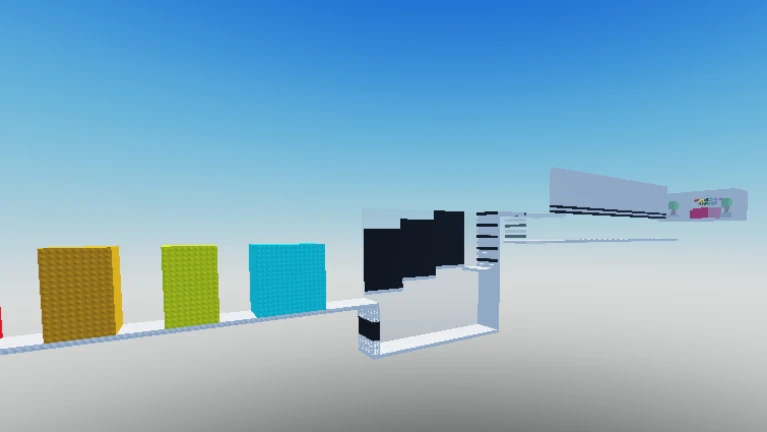
![[UPD] Short But Hard Wallhop Tower](https://tr.rbxcdn.com/180DAY-75ba376b74fd8477129c300900a625d5/512/512/Image/Webp/noFilter)