local CoreGui = game:GetService("CoreGui")
local ReplicatedStorage = game:GetService("ReplicatedStorage")
local UserInputService = game:GetService("UserInputService")
local StarterGui = game:GetService("StarterGui")

-- Destroy existing UI to prevent overlapping
if CoreGui:FindFirstChild("GuessMyNumberUI") then
    CoreGui.GuessMyNumberUI:Destroy()
end

-- Create ScreenGui
local ScreenGui = Instance.new("ScreenGui")
ScreenGui.Name = "GuessMyNumberUI"
ScreenGui.Parent = CoreGui
ScreenGui.Enabled = true -- Visible on startup

-- Main Frame
local MainFrame = Instance.new("Frame")
MainFrame.Size = UDim2.new(0, 300, 0, 200)
MainFrame.Position = UDim2.new(0.5, -150, 0.5, -100)
MainFrame.BackgroundColor3 = Color3.fromRGB(30, 30, 30)
MainFrame.BorderSizePixel = 0
MainFrame.Parent = ScreenGui

local UICorner = Instance.new("UICorner")
UICorner.CornerRadius = UDim.new(0, 12)
UICorner.Parent = MainFrame

local UIStroke = Instance.new("UIStroke")
UIStroke.Color = Color3.fromRGB(60, 60, 60)
UIStroke.Thickness = 2
UIStroke.Parent = MainFrame

-- Title
local Title = Instance.new("TextLabel")
Title.Size = UDim2.new(1, 0, 0, 40)
Title.BackgroundTransparency = 1
Title.Text = "Guess My Number"
Title.TextColor3 = Color3.fromRGB(255, 255, 255)
Title.Font = Enum.Font.GothamBold
Title.TextSize = 18
Title.Parent = MainFrame

-- Reveal Number Button
local RevealBtn = Instance.new("TextButton")
RevealBtn.Size = UDim2.new(0.8, 0, 0, 35)
RevealBtn.Position = UDim2.new(0.1, 0, 0.25, 0)
RevealBtn.BackgroundColor3 = Color3.fromRGB(0, 120, 215)
RevealBtn.Text = "Reveal Number"
RevealBtn.TextColor3 = Color3.fromRGB(255, 255, 255)
RevealBtn.Font = Enum.Font.GothamSemibold
RevealBtn.TextSize = 14
RevealBtn.AutoButtonColor = true
RevealBtn.Parent = MainFrame

local RevealCorner = Instance.new("UICorner")
RevealCorner.CornerRadius = UDim.new(0, 8)
RevealCorner.Parent = RevealBtn

-- Hint Number Button
local HintBtn = Instance.new("TextButton")
HintBtn.Size = UDim2.new(0.8, 0, 0, 35)
HintBtn.Position = UDim2.new(0.1, 0, 0.5, 0)
HintBtn.BackgroundColor3 = Color3.fromRGB(0, 170, 85)
HintBtn.Text = "Hint Number"
HintBtn.TextColor3 = Color3.fromRGB(255, 255, 255)
HintBtn.Font = Enum.Font.GothamSemibold
HintBtn.TextSize = 14
HintBtn.AutoButtonColor = true
HintBtn.Parent = MainFrame

local HintCorner = Instance.new("UICorner")
HintCorner.CornerRadius = UDim.new(0, 8)
HintCorner.Parent = HintBtn

-- Footer (Signature)
local Footer = Instance.new("TextLabel")
Footer.Size = UDim2.new(1, 0, 0, 30)
Footer.Position = UDim2.new(0, 0, 1, -30)
Footer.BackgroundTransparency = 1
Footer.Text = "made by me"
Footer.TextColor3 = Color3.fromRGB(150, 150, 150)
Footer.Font = Enum.Font.Gotham
Footer.TextSize = 12
Footer.Parent = MainFrame

--- Dragging Logic ---
local dragging, dragInput, dragStart, startPos

local function update(input)
    local delta = input.Position - dragStart
    MainFrame.Position = UDim2.new(startPos.X.Scale, startPos.X.Offset + delta.X, startPos.Y.Scale, startPos.Y.Offset + delta.Y)
end

MainFrame.InputBegan:Connect(function(input)
    if input.UserInputType == Enum.UserInputType.MouseButton1 or input.UserInputType == Enum.UserInputType.Touch then
        dragging = true
        dragStart = input.Position
        startPos = MainFrame.Position

        input.Changed:Connect(function()
            if input.UserInputState == Enum.UserInputState.End then
                dragging = false
            end
        end)
    end
end)

MainFrame.InputChanged:Connect(function(input)
    if input.UserInputType == Enum.UserInputType.MouseMovement or input.UserInputType == Enum.UserInputType.Touch then
        dragInput = input
    end
end)

UserInputService.InputChanged:Connect(function(input)
    if input == dragInput and dragging then
        update(input)
    end
end)

--- Button Functions (FireServer) ---
RevealBtn.MouseButton1Click:Connect(function()
    ReplicatedStorage.Events.Remote.UseRevealNumber:FireServer()
end)

HintBtn.MouseButton1Click:Connect(function()
    ReplicatedStorage.Events.Remote.UseHint:FireServer()
end)

--- Toggle Menu with 'M' ---
UserInputService.InputBegan:Connect(function(input, gameProcessed)
    -- Prevent toggling if the user is typing in chat
    if not gameProcessed then
        if input.KeyCode == Enum.KeyCode.M then
            ScreenGui.Enabled = not ScreenGui.Enabled
        end
    end
end)

--- Notification ---
-- Small delay to ensure the notification works properly in executors
task.spawn(function()
    task.wait(0.5)
    pcall(function()
        StarterGui:SetCore("SendNotification", {
            Title = "Script Loaded",
            Text = "Press 'M' to hide or show the menu.",
            Duration = 7 -- Duration in seconds
        })
    end)
end)Win every round in Guess My Number with this powerful script that reveals the hidden number instantly. Instead of guessing randomly, this script gives you the exact number or helpful hints, making it much easier to solve the challenge before other players.
With the Free Reveal Number and Hint Numbers features, you can quickly find the correct answer and dominate every round without wasting time guessing.
Simple, fast, and very useful for players who want to complete rounds easily.
1local CoreGui = game:GetService("CoreGui")
2local ReplicatedStorage = game:GetService("ReplicatedStorage")
3local UserInputService = game:GetService("UserInputService")
4local StarterGui = game:GetService("StarterGui")
5
6-- Destroy existing UI to prevent overlapping
7if CoreGui:FindFirstChild("GuessMyNumberUI") then
8    CoreGui.GuessMyNumberUI:Destroy()
9end
10
11-- Create ScreenGui
12local ScreenGui = Instance.new("ScreenGui")
13ScreenGui.Name = "GuessMyNumberUI"
14ScreenGui.Parent = CoreGui
15ScreenGui.Enabled = true -- Visible on startup
16
17-- Main Frame
18local MainFrame = Instance.new("Frame")
19MainFrame.Size = UDim2.new(0, 300, 0, 200)
20MainFrame.Position = UDim2.new(0.5, -150, 0.5, -100)
21MainFrame.BackgroundColor3 = Color3.fromRGB(30, 30, 30)
22MainFrame.BorderSizePixel = 0
23MainFrame.Parent = ScreenGui
24
25local UICorner = Instance.new("UICorner")
26UICorner.CornerRadius = UDim.new(0, 12)
27UICorner.Parent = MainFrame
28
29local UIStroke = Instance.new("UIStroke")
30UIStroke.Color = Color3.fromRGB(60, 60, 60)
31UIStroke.Thickness = 2
32UIStroke.Parent = MainFrame
33
34-- Title
35local Title = Instance.new("TextLabel")
36Title.Size = UDim2.new(1, 0, 0, 40)
37Title.BackgroundTransparency = 1
38Title.Text = "Guess My Number"
39Title.TextColor3 = Color3.fromRGB(255, 255, 255)
40Title.Font = Enum.Font.GothamBold
41Title.TextSize = 18
42Title.Parent = MainFrame
43
44-- Reveal Number Button
45local RevealBtn = Instance.new("TextButton")
46RevealBtn.Size = UDim2.new(0.8, 0, 0, 35)
47RevealBtn.Position = UDim2.new(0.1, 0, 0.25, 0)
48RevealBtn.BackgroundColor3 = Color3.fromRGB(0, 120, 215)
49RevealBtn.Text = "Reveal Number"
50RevealBtn.TextColor3 = Color3.fromRGB(255, 255, 255)
51RevealBtn.Font = Enum.Font.GothamSemibold
52RevealBtn.TextSize = 14
53RevealBtn.AutoButtonColor = true
54RevealBtn.Parent = MainFrame
55
56local RevealCorner = Instance.new("UICorner")
57RevealCorner.CornerRadius = UDim.new(0, 8)
58RevealCorner.Parent = RevealBtn
59
60-- Hint Number Button
61local HintBtn = Instance.new("TextButton")
62HintBtn.Size = UDim2.new(0.8, 0, 0, 35)
63HintBtn.Position = UDim2.new(0.1, 0, 0.5, 0)
64HintBtn.BackgroundColor3 = Color3.fromRGB(0, 170, 85)
65HintBtn.Text = "Hint Number"
66HintBtn.TextColor3 = Color3.fromRGB(255, 255, 255)
67HintBtn.Font = Enum.Font.GothamSemibold
68HintBtn.TextSize = 14
69HintBtn.AutoButtonColor = true
70HintBtn.Parent = MainFrame
71
72local HintCorner = Instance.new("UICorner")
73HintCorner.CornerRadius = UDim.new(0, 8)
74HintCorner.Parent = HintBtn
75
76-- Footer (Signature)
77local Footer = Instance.new("TextLabel")
78Footer.Size = UDim2.new(1, 0, 0, 30)
79Footer.Position = UDim2.new(0, 0, 1, -30)
80Footer.BackgroundTransparency = 1
81Footer.Text = "made by me"
82Footer.TextColor3 = Color3.fromRGB(150, 150, 150)
83Footer.Font = Enum.Font.Gotham
84Footer.TextSize = 12
85Footer.Parent = MainFrame
86
87--- Dragging Logic ---
88local dragging, dragInput, dragStart, startPos
89
90local function update(input)
91    local delta = input.Position - dragStart
92    MainFrame.Position = UDim2.new(startPos.X.Scale, startPos.X.Offset + delta.X, startPos.Y.Scale, startPos.Y.Offset + delta.Y)
93end
94
95MainFrame.InputBegan:Connect(function(input)
96    if input.UserInputType == Enum.UserInputType.MouseButton1 or input.UserInputType == Enum.UserInputType.Touch then
97        dragging = true
98        dragStart = input.Position
99        startPos = MainFrame.Position
100
101        input.Changed:Connect(function()
102            if input.UserInputState == Enum.UserInputState.End then
103                dragging = false
104            end
105        end)
106    end
107end)
108
109MainFrame.InputChanged:Connect(function(input)
110    if input.UserInputType == Enum.UserInputType.MouseMovement or input.UserInputType == Enum.UserInputType.Touch then
111        dragInput = input
112    end
113end)
114
115UserInputService.InputChanged:Connect(function(input)
116    if input == dragInput and dragging then
117        update(input)
118    end
119end)
120
121--- Button Functions (FireServer) ---
122RevealBtn.MouseButton1Click:Connect(function()
123    ReplicatedStorage.Events.Remote.UseRevealNumber:FireServer()
124end)
125
126HintBtn.MouseButton1Click:Connect(function()
127    ReplicatedStorage.Events.Remote.UseHint:FireServer()
128end)
129
130--- Toggle Menu with 'M' ---
131UserInputService.InputBegan:Connect(function(input, gameProcessed)
132    -- Prevent toggling if the user is typing in chat
133    if not gameProcessed then
134        if input.KeyCode == Enum.KeyCode.M then
135            ScreenGui.Enabled = not ScreenGui.Enabled
136        end
137    end
138end)
139
140--- Notification ---
141-- Small delay to ensure the notification works properly in executors
142task.spawn(function()
143    task.wait(0.5)
144    pcall(function()
145        StarterGui:SetCore("SendNotification", {
146            Title = "Script Loaded",
147            Text = "Press 'M' to hide or show the menu.",
148            Duration = 7 -- Duration in seconds
149        })
150    end)
151end)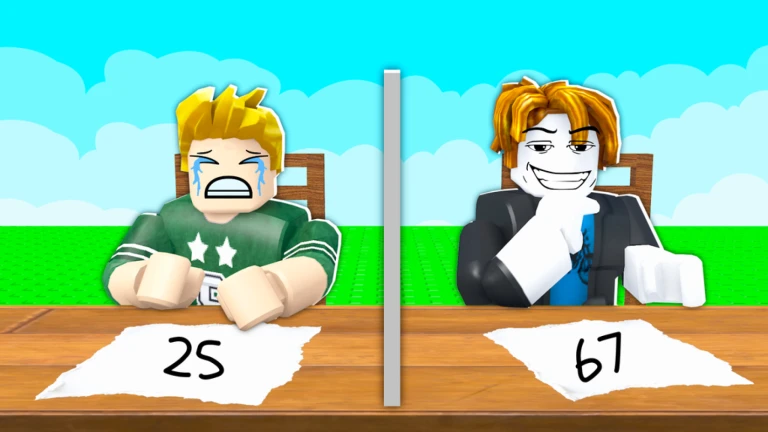
![[🤔] Guess My Number](https://tr.rbxcdn.com/180DAY-d9728be1caf2fb21138a57a0492871b9/512/512/Image/Webp/noFilter)