Browse the best Tower of Hell scripts updated for 2026, featuring completely free, keyless and mobile-friendly options.
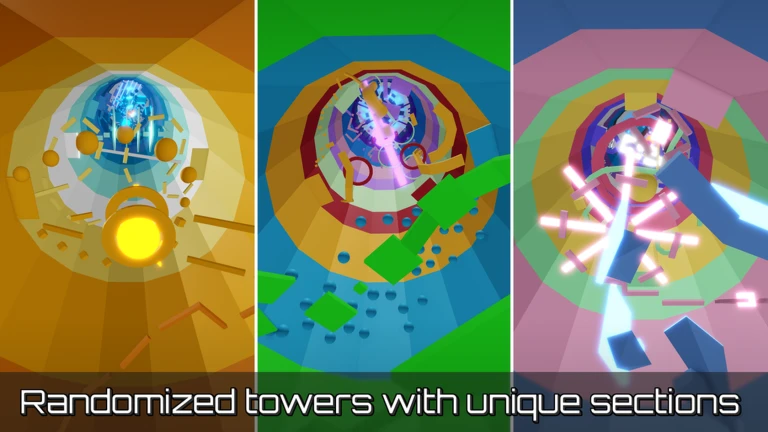
Tower of Hell Hub is a Roblox utility script designed for Tower of Hell, providing a collection of features intended to make gameplay easier and more convenient. The script uses a simple hub-style interface where users can access its available options and toggle features on or off while playing. It includes movement and gameplay-related utilities, along with quality-of-life features designed around Tower of Hell's obstacle-course gameplay. The hub is lightweight and intended to be easy to use without requiring complicated setup. Key points: Tower of Hell focused Easy-to-use hub UI Gameplay utilities Movement-related options Toggleable features Lightweight design Simple execution Designed for Roblox executors Regularly updateable through the hosted loader

Fly – Adjustable flight speed from 1–200. Invincibility – Protects against kill parts, lava, and damage parts. Float – Adjusts movement, ascending, and descending speeds. Noclip – Allows you to walk through obstacles. Invisible – Makes your character invisible. Infinite Jump – Allows continuous jumping. Fall Protect – Prevents deaths from high falls. Jump ESP – Highlights your character while jumping or falling. Player ESP – Highlights other players. Set Checkpoint – Saves your current position. Teleport to Checkpoint – Teleports you back to your saved position. Checkpoint Visual – Displays a ghost clone and ESP label at your checkpoint. Checkpoint Keybinds – Use C to set a checkpoint and V to teleport to it. Clear Checkpoint – Removes your saved checkpoint. Teleport to End – Teleports you directly to the end. Auto Farm – Automatically cycles through tower finishes. Auto Farm Interval – Adjusts the farming cycle from 0–8 minutes. Impersonate Player – Applies another player's avatar locally using their username. Custom Jump Height – Adjusts jump height from 0–500. Freecam – Provides free camera movement with WASD controls. Freecam Up/Down – Use E and Q to move the freecam vertically. Freecam Speed – Adjusts freecam movement speed from 0.1–10.

Axon Hub is a Tower of Hell script built for auto farm, ESP, combat, movement and easier grinding. • Player ESP – Included in Axon Hub for this game. • Fly – Moves freely in the air with a speed slider. • Noclip – Walks through walls, doors and map collision. • Walk Speed Override – Included in Axon Hub for this game. • Speed Coil – Included in Axon Hub for this game. • Teleport To Finish – Included in Axon Hub for this game. • Teleport To Start – Included in Axon Hub for this game. • Teleport Up – Included in Axon Hub for this game. • Auto Win – Included in Axon Hub for this game. • Disable Kill Bricks – Included in Axon Hub for this game. • Disable Kill Bricks Now – Included in Axon Hub for this game. • Jump Power Override – Included in Axon Hub for this game. • Infinite Jump – Lets you jump in the air as many times as you want. • Show Kill Bricks – Included in Axon Hub for this game. Also includes Anti-AFK, configuration saving and extra quality-of-life options. Get your key here: https://discord.gg/axonhub

Overview
HaxHell lists 4 Tower of Hell scripts: 1 keyless, 4 with mobile support and 4 currently marked as working. The latest script was added or updated on September 1, 2026.
FAQ
Yes. All 4 Tower of Hell scripts on HaxHell are free to copy and use.
Yes. 1 Tower of Hell script run without a key system. Use the "No Key" filter to see only keyless scripts.
4 Tower of Hell scripts are marked as mobile-friendly and work with Android and iOS executors. Use the "Mobile Support" filter to find them.
Open a script page, copy the loadstring, join Tower of Hell on Roblox, paste the code into your executor and press execute. Each script page lists the executors it was tested with.
Using scripts breaks Roblox's Terms of Use and can get an account banned, so many players use an alt account. HaxHell lets the community report broken or harmful scripts, and patched scripts are labeled so you can avoid them.


![Carry the Glass Together! [2 Player Obby]](https://tr.rbxcdn.com/180DAY-76710ff362649fbe97a6b6292ff6816b/768/432/Image/Webp/noFilter)